
Get in Touch
Your Trusted Manufacturer of Laptops & Tablets

WhatsApp Us Directly
+86 13923410269
Email Us
Get in Touch
Your Trusted Manufacturer of Laptops & Tablets

In today’s world, where work and entertainment are more flexible than ever, the monitor is no longer just a static desktop fixture. As the primary window to our digital world, its form is evolving.
Imagine this: You’re working efficiently on a 27-inch screen in the office, but once you’re on the road, you’re stuck juggling tasks on a small laptop display. Or, you want to relax on the couch with your Nintendo Switch or smartphone, but the small screen limits the experience. These real, everyday pain points are exactly why portable monitors are growing in popularity.
So, the question is: Should you upgrade to a reliable desktop monitor or invest in a portable screen you can take anywhere? Understanding the key differences between portable monitors and regular monitors is the first step.
In this blog, we’ll compare these two types of displays across design philosophy, use cases, and technical specs like resolution, ports, and color performance—helping you find the ideal screen for your lifestyle, whether it stays on your desk or fits in your backpack.
To understand their differences, it’s important to know why they were created in the first place.
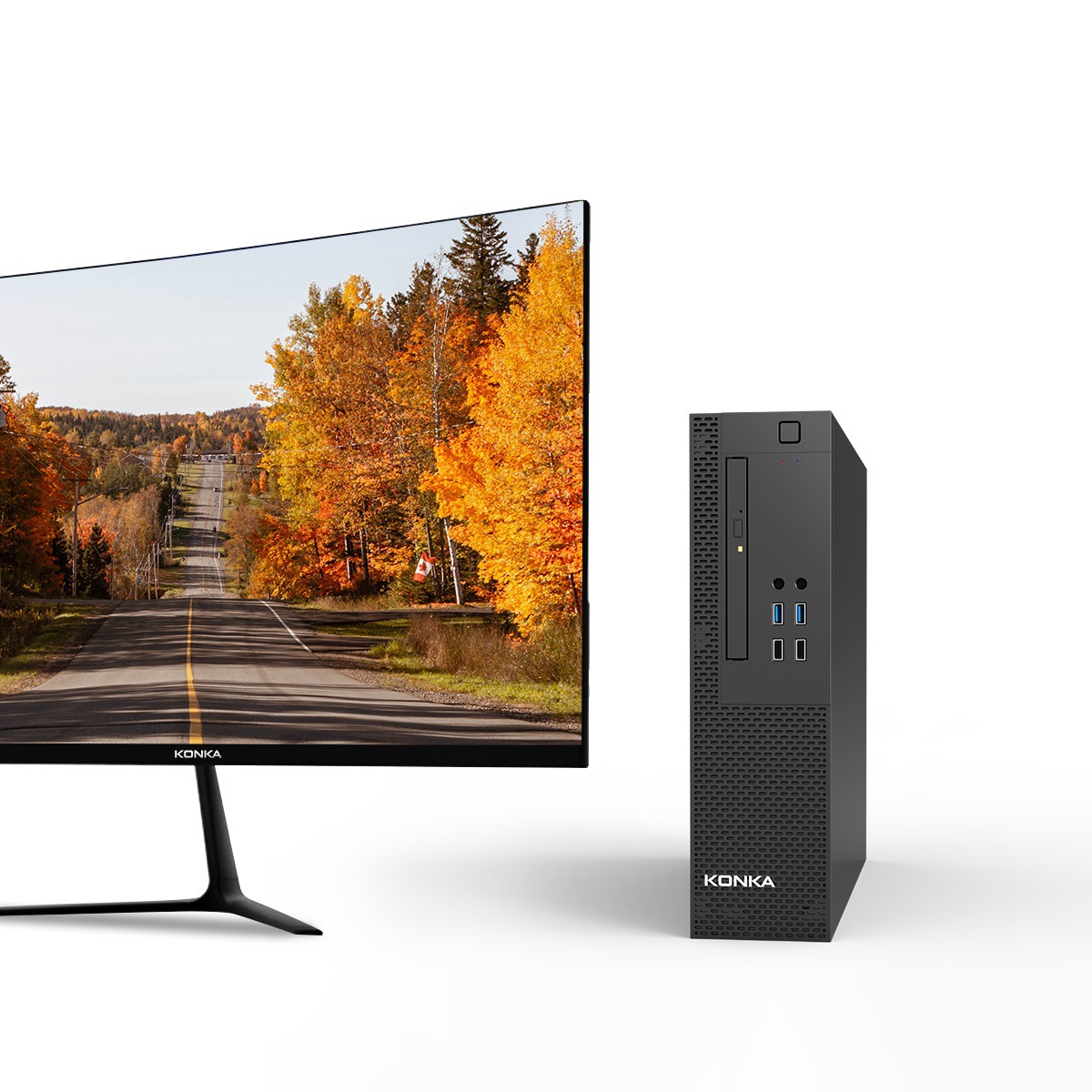
Regular Monitors

Designed as fixed display terminals for desktop computers, regular monitors deliver consistent, high-performance visuals in a stable environment. Every aspect of their design—from their large size to their abundant ports—revolves around stationary use. They aim to maximize productivity and immersion at a desk.
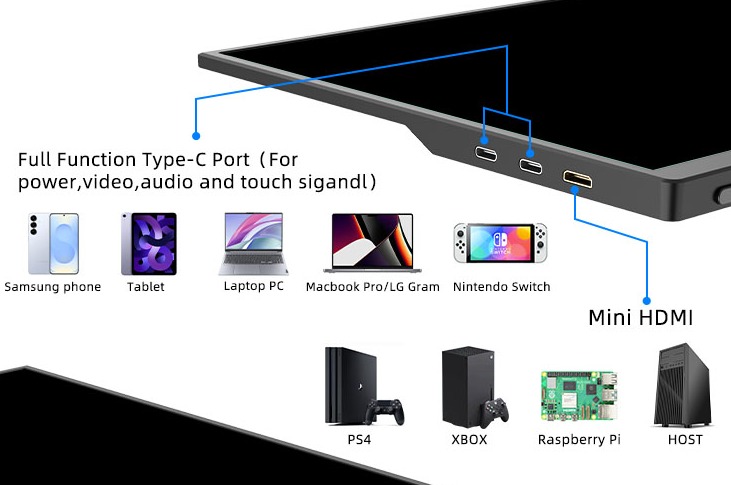
Portable Monitors
Portable monitors were born out of the need for mobility and expansion. They address a clear pain point: how to quickly add a second screen to laptops, phones, gaming consoles, or cameras—anywhere, anytime. Their core strengths are portability, universal compatibility, and plug-and-play convenience, trading some high-end performance for unmatched flexibility.


After comparing these two types, it’s clear: portable and regular monitors aren’t rivals—they complement each other for different needs.

In short: A portable monitor gives you freedom and flexibility at the cost of peak performance, while a regular monitor offers power and reliability in a stationary setup.
We hope this guide helps you make a confident choice based on what you truly need.
Industry-Specific Solutions
Latest Blog

AI Compute Box Bulk Procurement: 3C, CE, FCC Certification Guide
Learn the key certification requirements for bulk buying AI compute boxes. Covers 3C, CE, FCC compliance, common pitfalls, and how to verify certificates to avoid legal risks.

RK3588 vs N100: Which Is Better for Local LLM Deployment?
Compare RK3588 and N100 for running local LLMs. See real-world token speeds, power, memory, software support, and which chip fits your AI workload.

Edge AI Box vs Cloud Server:Which Is Cheaper Long-Term?
A detailed TCO comparison of edge AI boxes and cloud servers. Covers hardware, bandwidth, power, and O&M costs, with break-even analysis and a decision checklist.

What AI Mini PC Do You Need for Private Local LLM Deployment?
Learn what AI mini PC specs you need for private deployment of local LLMs: memory, NPU, storage, offline capability, and configuration recommendations for 7B–70B models.
Adreamer

© 2012-2025 Copyright Shenzhen Adreamer Technology Co., Ltd.粤ICP备18115621号-2
Contact Adreamer Today for Your Custom Solution & Quote!
© 2012-2025 Copyright Shenzhen Adreamer Technology Co., Ltd.粤ICP备18115621号-2













