
Get in Touch
Your Trusted Manufacturer of Laptops & Tablets

WhatsApp Us Directly
+86 13923410269
Email Us
Get in Touch
Your Trusted Manufacturer of Laptops & Tablets

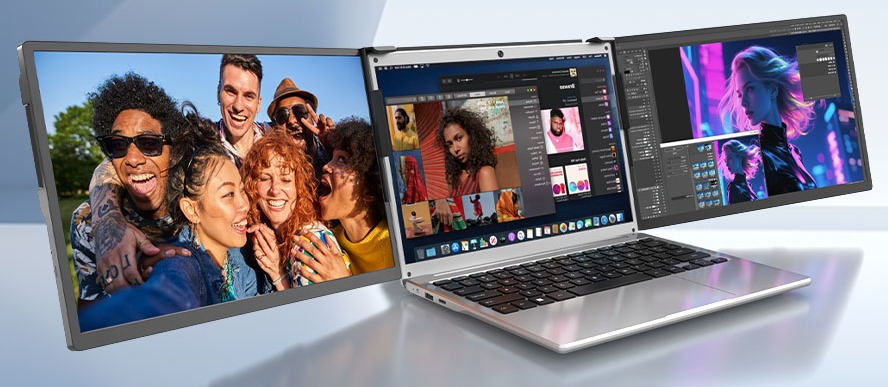
A few years ago, portable monitors were a niche gadget for digital enthusiasts – often called “the Switch’s external screen” or “a programmer’s second display.” But by 2026, thanks to mature USB‑C one‑cable technology, falling panel costs, and the normalization of hybrid work, portable displays have evolved from a “nice‑to‑have accessory” into a daily productivity tool that many carry in their bags. They are lighter than laptops, larger than phone screens, and more flexible than traditional monitors. So, what can you actually do with one?
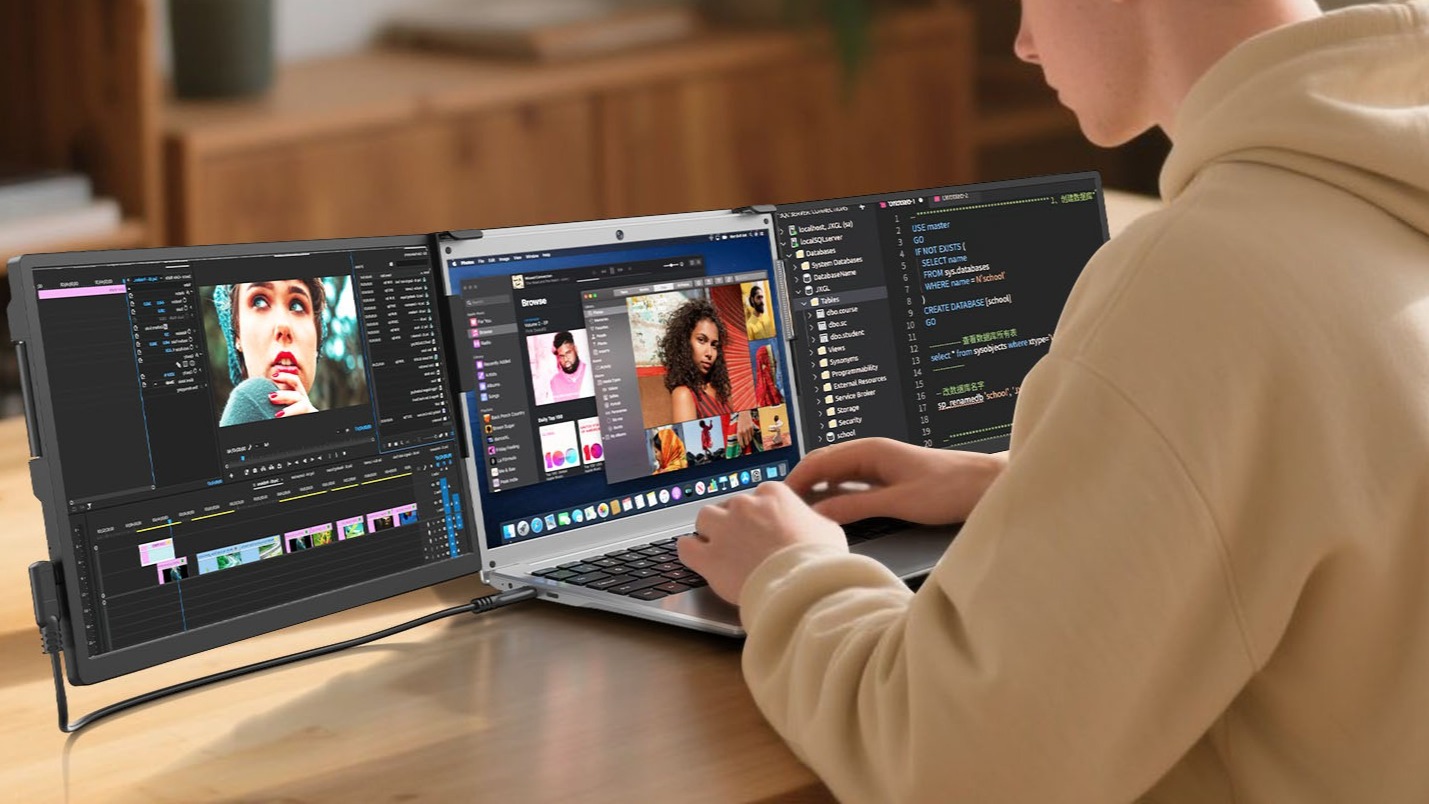
For frequent business travelers, remote workers, and freelancers, a portable monitor is a productivity booster. At a coffee shop, on a high‑speed train, or in a hotel room, you connect your ultrabook to the portable display via a single USB‑C cable. Use the main screen for reports and the secondary screen for research, WeChat, or PowerPoint slides. No more frantic window switching – your workflow stays uninterrupted. When working on complex spreadsheets, you can have data on one screen and formulas on the other, reducing eye strain.
Why it beats a single screen: Studies show dual monitors can increase productivity by 20‑30%. Most laptop screens are under 14 inches, making side‑by‑side windows cramped. A portable monitor gives you an extra 10‑15 inches of real space for comfortable multitasking.
Best for: Programmers, financial analysts, copywriters, project managers, consultants.
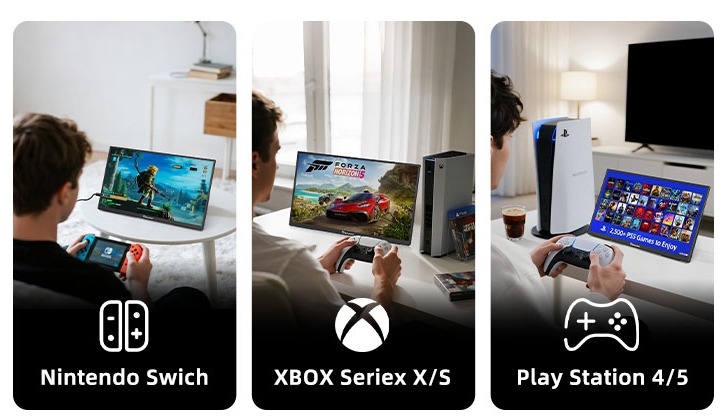
The Switch, Steam Deck, ROG Ally, and cloud gaming phones all have screens limited by portability. Playing AAA games on a 7‑8 inch screen can be straining. A portable monitor instantly turns them into “console mode.”
In a hotel room, connect your Steam Deck to a 15.6″ portable display and play Cyberpunk with a Bluetooth controller. Or plug your Switch (OLED model supports direct USB‑C) into the monitor – no dock needed – and enjoy Zelda on a big screen. Portable monitors often come with built‑in speakers, high refresh rates (144Hz), and low latency. Paired with a powerful handheld, you get desktop‑like performance while the whole setup weighs under 700 grams.
Best for: Handheld gamers, business travelers who game, students in dorms.
Photographers, video editors, and illustrators often need to showcase work, preview footage, or color‑grade on location. After a shoot, connect your camera directly to a portable monitor (via Mini HDMI or USB‑C) for client proofing. OLED portable monitors offer wide color gamut (100% DCI‑P3), high brightness, high contrast, and accurate colors – letting clients approve on the spot and reducing rework. When editing video, use the portable display as a preview monitor while keeping your timeline on the main screen – clear and efficient.
Professional portable monitors support hardware calibration (Delta E <2 out of factory) and brightness over 600 nits, viewable even outdoors. 4K models let you zoom into fine details.
Best for: Commercial photographers, YouTubers/vloggers, independent designers, post‑production assistants.
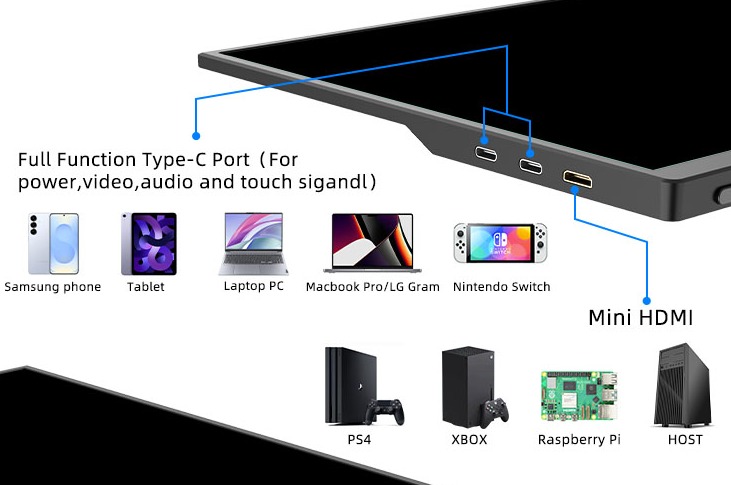
A single portable monitor can connect to different devices, saving you from buying separate screens. Work with your laptop in the morning, unplug to watch shows with your phone at noon, then game with a mini PC at night. On a trip, bring only the portable monitor and a mini PC (lighter than a laptop) plus a foldable keyboard – a super‑portable workstation. Some portable monitors support picture‑in‑picture or split‑screen, displaying content from two devices simultaneously (great for multi‑camera monitoring).
Benefits: Saves desk space and avoids duplicate investment. One screen, all scenarios.
Best for: Tech enthusiasts, multi‑device users, tinkerers.
You have only one desktop monitor but need to write a document while watching a tutorial or movie. Or you want to relax in bed but stream on something larger than a phone. Mount a portable monitor next to your main display – code on the primary, watch instructional videos on the secondary. Or fix it to a bedside stand for one episode before sleep. In the kitchen, hang it under a cabinet to follow a recipe video.
Portable monitors are small and can be moved or stored easily – they don’t permanently occupy desk space like traditional displays.
Best for: Roommates, students in dorms, small‑apartment families, desk‑setup enthusiasts.
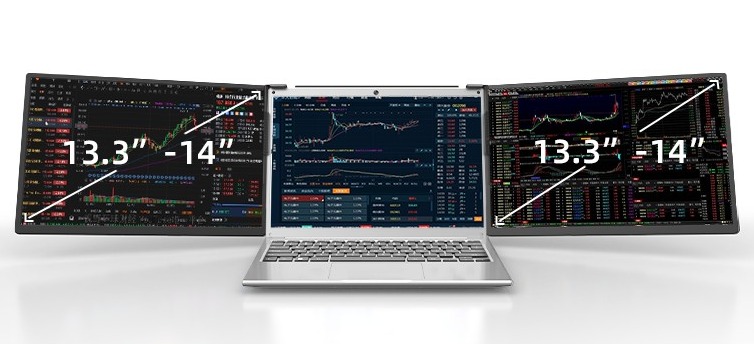
Stock traders, data center operators, and social media monitors need to track multiple data streams simultaneously. Use your laptop screen for candlestick charts and the portable monitor for watchlists and news feeds, or one screen for surveillance footage and the other for logs. Portable monitors can be placed vertically (gravity‑sensor auto‑rotation) – perfect for reading long code, long documents, or stock trends.
Cost advantage: Much cheaper than buying an extra desktop monitor and can be moved with your workspace. Touch‑screen models allow quick tapping actions.
Best for: Financial professionals, IT operations, data analysts, security personnel.
On a family road trip, rear‑seat passengers (especially children) need entertainment. Or you’ve built a camper van and want to watch movies on the road. Use headrest mounts to fix a portable monitor to the back of front seats, connect it to a phone hotspot or a USB drive, and play downloaded cartoons. Many portable monitors support direct video playback from USB storage – no external player needed.
Cost vs. alternatives: Much cheaper than built‑in roof‑mounted screens, and you can take the monitor home for other uses. Low power consumption allows running from a power bank.
Best for: Families with kids, RV travelers, long‑distance drivers.
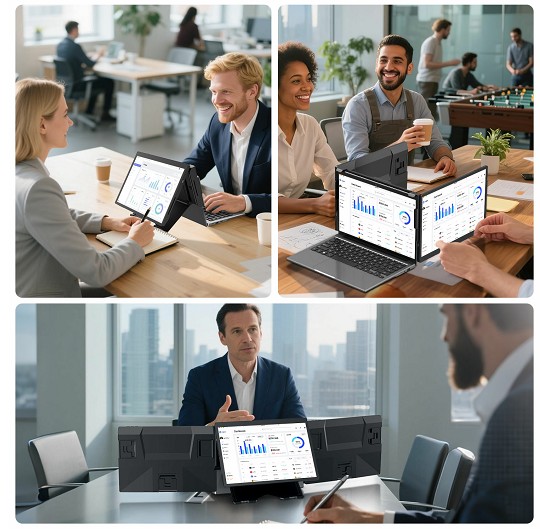
Salespeople, trainers, and bid managers often need to present products, proposals, or data on site. During a client visit, simply connect a portable monitor to your laptop or phone to showcase PowerPoint slides, 3D models, or high‑res designs. The excellent screen quality easily outperforms a client’s small laptop or a dim projector.
The key is portability – it slides right into a briefcase. Many models come with a smart cover that folds into a stand, requiring no extra accessories.
Best for: Sales representatives, product managers, consultants, training instructors.
For programmers, horizontal widescreen isn’t always ideal – portrait orientation works better for code, debugging, and documentation. Rotate a portable monitor 90° to vertical, and with VS Code or IntelliJ IDEA, you can see well over 100 lines of code without constant scrolling. Keep your main horizontal screen for browsers, terminals, and debuggers.
Implementation: Supports auto‑rotation (gravity sensor) or manual rotation; with driver software, resolution switching is seamless.
Best for: Front‑end/back‑end engineers, algorithm engineers, open‑source developers.
Teachers, streamers, and remote meeting participants need to see teleprompters, audience interactions, and shared screens in real time. Use your main screen for teaching content or live video, and the portable secondary screen for teleprompter notes, chat messages, meeting chat, or PowerPoint speaker notes. You can smoothly present while keeping an eye on audience feedback.
Cost advantage: Much cheaper than dedicated teleprompters and far more flexible.
Best for: Online instructors, live streamers, remote employees.
One cable transmits video, audio, touch signals, and power – no extra power adapter needed (laptop can reverse charge). Simple connection.
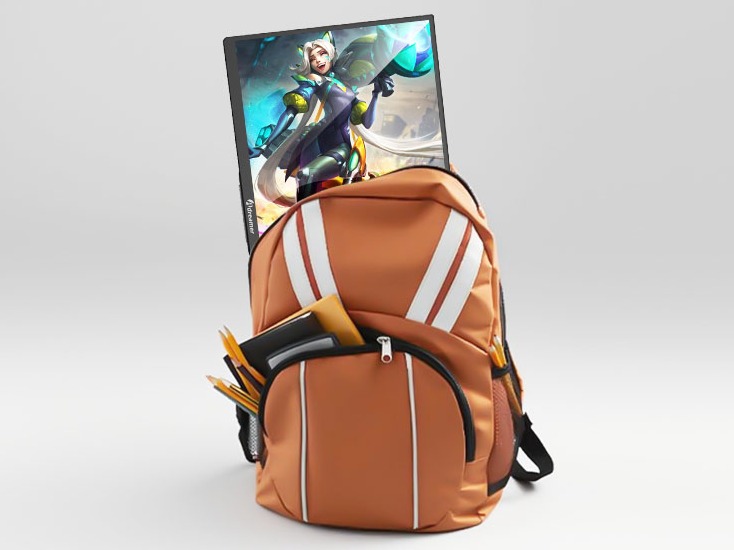
Mainstream 13‑16 inch models weigh 600‑800 grams (1.3‑1.8 lbs) and are 3‑6mm thick – slips into any backpack sleeve.
Can be powered by laptop, phone (requires DP output), power bank (5V/2A works), or sometimes built‑in battery.Some models offer 10‑point touch, replacing a mouse in mobile scenarios – even usable as a drawing pad.
Strongly recommended for:
Consider but not essential if:
Not really suitable for:
a.Prioritize dual full‑function USB‑C + Mini HDMI for maximum compatibility. One‑cable requires the laptop to support DP Alt Mode.
b.For office work, 1080P/2K @ 60Hz is fine; for gaming, 120Hz+; for design, 4K with wide color gamut.
c.300 nits is OK indoors; outdoor use needs 500+ nits.
d.Choose touch if presenting to clients or for children’s use.
e.Keep under 700g if you move it often.
f.A built‑in folding cover or magnetic stand is a big plus – eliminates extra accessories.
Portable monitors are not revolutionary, but they perfectly fill the gap where smartphone screens are too small, laptop screens lack real estate, and desktop monitors can’t move. If you fit any of the scenarios above, a portable monitor will likely become a device you “can’t live without.” If you rarely work away from a desk and don’t need a second screen, it might gather dust. Buy according to your needs, and spend wisely.
Industry-Specific Solutions
Latest Blog

Edge AI Box vs Cloud Server:Which Is Cheaper Long-Term?
A detailed TCO comparison of edge AI boxes and cloud servers. Covers hardware, bandwidth, power, and O&M costs, with break-even analysis and a decision checklist.
What AI Mini PC Do You Need for Private Local LLM Deployment?
Learn what AI mini PC specs you need for private deployment of local LLMs: memory, NPU, storage, offline capability, and configuration recommendations for 7B–70B models.

How to Choose an Edge Computing Box Manufacturer: ODM/OEM Guide
Learn how to evaluate edge computing box manufacturers. Compare source factories, ODM/OEM models, MOQ, certifications, and customization to find the right partner.
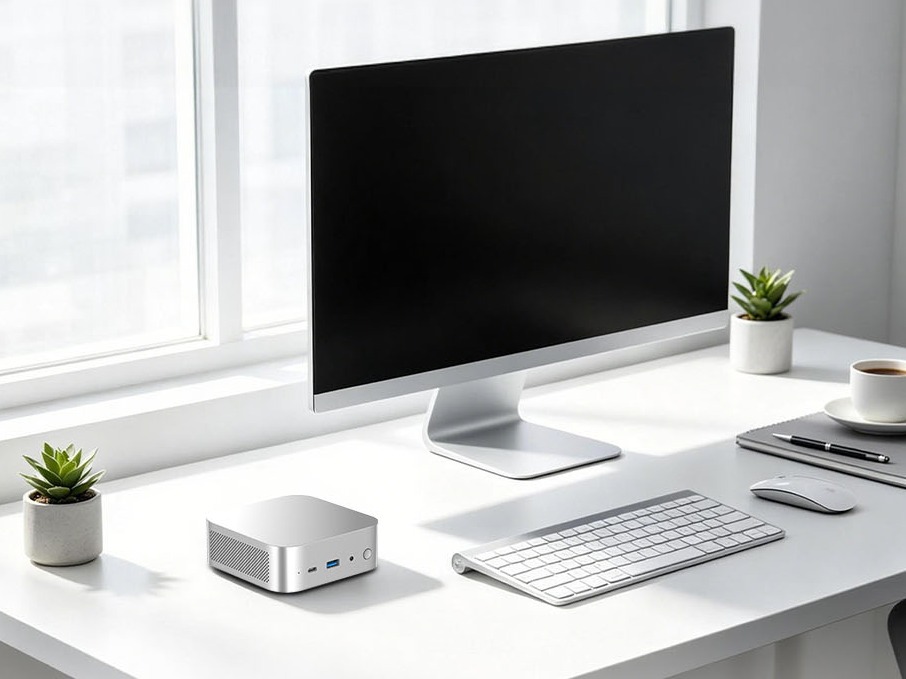
How to Choose an AI Mini PC in 2026: NPU & Memory Buying Guide
A practical guide to choosing an AI mini PC in 2026. Learn how to match NPU TOPS, memory capacity, and bandwidth to your workload, avoid common pitfalls, and pick the right configuration.
Adreamer

© 2012-2025 Copyright Shenzhen Adreamer Technology Co., Ltd.粤ICP备18115621号-2
Contact Adreamer Today for Your Custom Solution & Quote!
© 2012-2025 Copyright Shenzhen Adreamer Technology Co., Ltd.粤ICP备18115621号-2













