
Get in Touch
Your Trusted Manufacturer of Laptops & Tablets

WhatsApp Us Directly
+86 13923410269
Email Us
Get in Touch
Your Trusted Manufacturer of Laptops & Tablets

If you run a training institution, work as a procurement specialist for a local education bureau, or plan to launch your own branded educational tablet, you face a common challenge: off‑the‑shelf tablets are feature‑rich, but they lack brand identity and deep integration with your own curriculum. That’s why “custom learning tablets” have become an essential topic.
But customization is far more than white‑labeling. From interface design and curriculum pre‑installation to campus management platform integration and hardware branding, every step has its nuances. I’ve worked closely with tablet ODM/OEM manufacturers in Shenzhen, China, and helped several education companies run custom projects. Here, I break down the entire process for you.
Custom learning tablets are not mass‑market consumer products; they serve specific professional user groups.

Scenario 1: Training Institutions (including online education brands)
Institutions with their own curriculum want tablets to boot directly into their branded interface, contain their exclusive teaching apps, and even block irrelevant games and entertainment. Students receive a device that is strictly for learning. This protects course copyright and enhances brand professionalism.
Scenario 2: Local Education Bureaus or Schools
Many regions promote “smart classroom” and “three‑classroom” initiatives, requiring bulk procurement of dedicated tablets. These tablets need to be pre‑loaded with local educational resources, integrate with the existing education management platform, support unified app push and device control, and carry the school or district logo on the hardware.
Scenario 3: Private Label Brands (e.g., children’s product companies, accessory brands expanding their line)
These customers have no hardware R&D capability but have brand channels and user bases. They need an ODM to design and manufacture tablets with their logo and possibly some differentiation in appearance.
A complete custom service typically includes the following eight steps, with a timeline ranging from 2 to 6 months depending on customization depth and order quantity.
Before starting, both sides must clarify three core questions: Who is the user? What will they learn? What is the budget?
Based on these needs, the manufacturer recommends either an existing reference design (fast, cost‑effective) or a completely new exclusive mold (unique appearance, longer lead time, higher cost). Most education customers choose reference design with software customization + back cover silkscreen – cost‑effective.
With a reference design, this step is largely skipped. For an exclusive mold, industrial design, mechanical design, and tooling are required. Mechanical engineers design the housing thickness, button positions, port layout, ventilation holes, and antenna clearance. Mold costs typically range from 7,000to7,000to28,000 USD, with a lead time of 30‑45 days. For a training institution’s first trial, it’s highly recommended to start with reference design + software customization, then invest in an exclusive mold after sales volume grows.
This is the core of a custom learning tablet. After obtaining the reference motherboard, software engineers perform Android system trimming and customization:

Key point: System customization must be completed during the development phase. Once mass‑produced and flashed, subsequent OTA updates must maintain the custom state. Therefore, you need a manufacturer with strong source‑level system modification capabilities and long‑term maintenance support.
For education bureau and school procurement, this step is essential. Custom tablets must be able to integrate with the school’s existing management platform to enable:
Most solution providers offer their own MDM (Mobile Device Management) platform, or can integrate with your existing platform (e.g., Alibaba DingTalk, Tencent Education, Huawei Smart Classroom). Integration involves API development and may incur additional engineering fees.
Customization isn’t only about software – hardware should also reflect brand ownership:

Note: For very small orders (a few hundred units), per‑unit silkscreen cost is high. Alternatives include stickers or UV printing.
Custom products must undergo rigorous testing before shipment, especially educational tablets which require higher reliability:

After engineering prototypes are validated, a small‑batch pilot run (500‑1,000 units) is conducted for internal testing or seed user trials. Feedback is collected, adjustments made, then mass production begins. During mass production, the brand should send a QC representative to the factory or hire a third‑party inspection service.
After production, tablets are delivered to designated warehouses or end users. After‑sales includes:

a. Minimum Order Quantity (MOQ)
Reference design customizations typically start at 1,000 units. Exclusive molds require 3,000‑5,000 units to amortize tooling costs. Smaller orders mean higher per‑unit prices and less interest from factories.
b. Software maintenance cost
Many brands focus only on initial development fees and overlook ongoing system upgrades and adaptation. Major Android version upgrades (e.g., 12 to 13) require re‑debugging drivers and custom features – agree on these costs upfront.
c. Data security & privacy
Educational tablets involve minors’ information and must comply with relevant laws (e.g., China’s Personal Information Protection Law and Children’s Personal Information Network Protection Regulations). Tablets must not pre‑install unnecessary tracking SDKs, and data transmission must be encrypted.
d. Supply chain risk
Choose a solution provider with stable chip supply capabilities to avoid delays due to shortages. Educational tablets generally don’t need the latest flagship chips; mature process nodes are safer.
e. Prevent student tampering
No matter how strict the customization, determined students may find loopholes. Implement system‑level protections such as anti‑uninstall, anti‑factory‑reset (with password), hiding settings entry points, and release regular patches.
Case A: English training institution in Brazil – 1,000 units
Needs: 10.1″ tablet, pre‑load self‑developed app, block other installations, back cover logo. Used a reference design, modified launcher, set the pre‑loaded app as device owner mode. Per‑unit cost was 15% lower than retail tablets. The institution gave tablets as purchase incentives, and renewal rates increased by 30%.
Case B: Smart classroom project for a Philippines education bureau – 5,000 units
Needs: Support unified school management, integrate with county‑level education resources platform, enable in‑class interactive quizzes. Custom system with built‑in MDM, each tablet bound to a student ID. The manufacturer developed additional API integration. Project took 4 months. After acceptance, the bureau purchased follow‑up maintenance services for another 20,000 units.
Custom learning tablets are not a one‑off transaction. The brand must invest continuously in content, operations, and after‑sales support. But once you close the loop, the resulting brand barrier and user stickiness are unmatched by off‑the‑shelf tablets.
If you are a first‑timer, start with “reference design + light software customization + small batch” to validate the market before going deeper. When choosing an ODM/OEM partner, prioritize their track record in education, software team size, and after‑sales responsiveness.
I hope this comprehensive guide helps you clarify your path and avoid unnecessary detours. If you have specific custom requirements, feel free to ask in the comments – I’ll share my experience.
Industry-Specific Solutions
Latest Blog
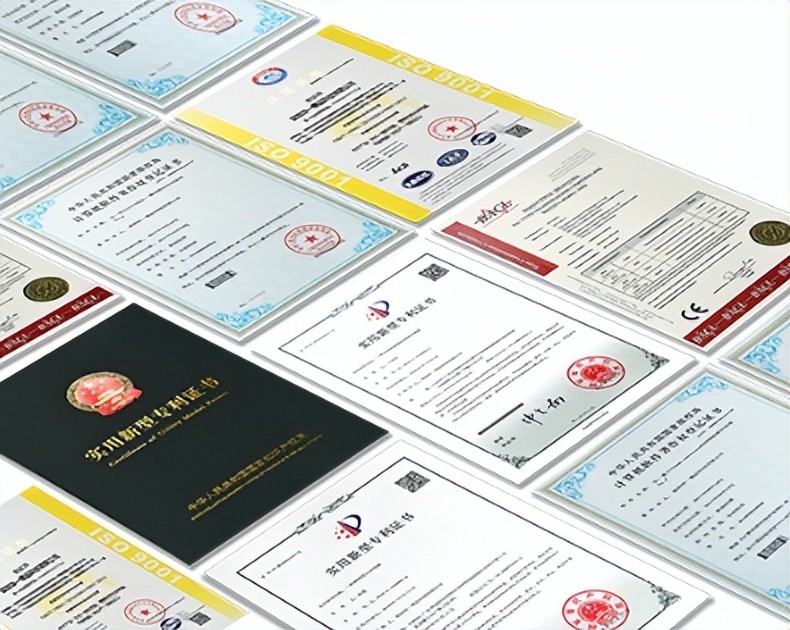
AI Compute Box Bulk Procurement: 3C, CE, FCC Certification Guide
Learn the key certification requirements for bulk buying AI compute boxes. Covers 3C, CE, FCC compliance, common pitfalls, and how to verify certificates to avoid legal risks.

RK3588 vs N100: Which Is Better for Local LLM Deployment?
Compare RK3588 and N100 for running local LLMs. See real-world token speeds, power, memory, software support, and which chip fits your AI workload.

Edge AI Box vs Cloud Server:Which Is Cheaper Long-Term?
A detailed TCO comparison of edge AI boxes and cloud servers. Covers hardware, bandwidth, power, and O&M costs, with break-even analysis and a decision checklist.
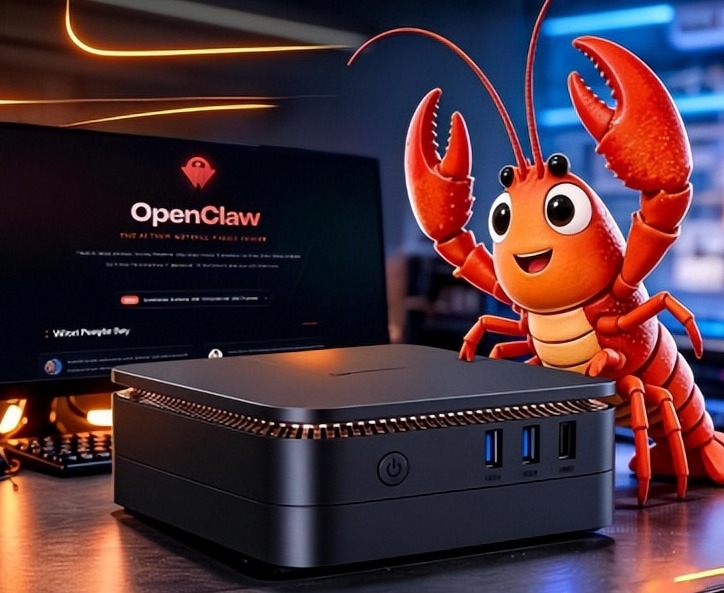
What AI Mini PC Do You Need for Private Local LLM Deployment?
Learn what AI mini PC specs you need for private deployment of local LLMs: memory, NPU, storage, offline capability, and configuration recommendations for 7B–70B models.
Adreamer

© 2012-2025 Copyright Shenzhen Adreamer Technology Co., Ltd.粤ICP备18115621号-2
Contact Adreamer Today for Your Custom Solution & Quote!
© 2012-2025 Copyright Shenzhen Adreamer Technology Co., Ltd.粤ICP备18115621号-2













