
Get in Touch
Your Trusted Manufacturer of Laptops & Tablets

WhatsApp Us Directly
+86 13923410269
Email Us
Get in Touch
Your Trusted Manufacturer of Laptops & Tablets

Recently, a friend working on an industrial security integration project ran into a classic hardware selection problem.
He was deploying an AI video analytics system in a factory workshop—detecting whether workers were wearing safety helmets, identifying unsafe operations, and spotting fire hazards.
The factory provided a small electrical room—about half a square meter, with high ambient temperatures and no dedicated air conditioning.
His question was: Should he use a regular PC? An AI mini PC? Or an 'edge box' recommended by vendors?
All three could run AI inference, but they had different names, form factors, and price tags. He needed to know: which one was the right choice?
This is an excellent question.
The term 'edge box' has been used so broadly that almost any device can be called one, leaving buyers unsure what they're actually getting. This article breaks down what an edge box really is, compares it with regular PCs, AI mini PCs, and edge servers, and helps you decide which to choose for your scenario.
The simplest way to understand an edge box is: a compact hardware device with pre‑installed AI inference software, designed to process data in real time at the edge.
It has four core characteristics:
First, it is a purpose‑built device, not a general‑purpose computer.
With a regular PC, you need to install the OS, drivers, software, and configure the environment yourself. An edge box comes with the entire AI inference software stack pre‑configured from the factory. Plug it in, connect to the network, attach a camera—and it starts working.
Second, it sits at the 'edge,' not in the cloud.
Cloud data centers may be hundreds or thousands of kilometers away. An edge box is deployed right where data is generated—on the factory floor, in a retail store, on a streetlight pole, or in a school server room. Data is processed locally without long‑distance transmission.
Third, it is dedicated to 'inference,' not 'training.'
AI has two phases: training (teaching a model using large datasets) and inference (using the trained model to make predictions on new data). Training requires massive compute power and is typically done in the cloud or data centers. Inference is relatively lightweight and well‑suited for edge devices. An edge box does inference—a camera captures an image, and the box determines 'this person is not wearing a helmet.'
Fourth, it is an integrated hardware‑software delivery package.
This is a key difference from a regular PC. A PC is a hardware platform where you deploy your own software. An edge box comes with hardware + operating system + AI framework + application software all pre‑packaged—ready to use out of the box. For an integrator without AI engineers, this reduces what could be weeks of deployment effort to just hours.
Important note: 'Edge box' is more of a functional concept than a strict hardware category. Edge box products on the market use very different hardware—from ARM‑based embedded devices to x86‑based mini PCs. The term describes deployment location and function (edge‑side AI inference), not a specific hardware specification. So don't choose based solely on the 'edge box' label—always check the internal configuration.
Before edge computing, AI deployments typically worked like this:
Camera captures video → transmitted over the network to the cloud → cloud server runs AI inference → results sent back to the site
This model has several problems:
Network latency: Video upload and result download take hundreds of milliseconds to several seconds. For real‑time scenarios, this delay can cause incidents.
Bandwidth consumption: A single HD video stream can generate hundreds of gigabytes of raw data per day. With dozens or hundreds of cameras uploading simultaneously, bandwidth pressure and costs are significant.
Data privacy: Video footage, facial data, and production information are all transmitted to the cloud, creating compliance risks. Some regulators explicitly require that video data not leave the premises.
Network dependency: If the network goes down, AI capability is lost. If a safety incident occurs during a network outage, liability becomes difficult to determine.
Accumulating costs: Cloud storage and compute are pay‑as‑you‑go. Continuous 24/7 video transmission and storage create a long‑term operational cost burden.
The edge box approach is different: bring AI inference capability to the site.
Camera captures video → sent directly to the edge box → edge box runs inference locally → only the result ('person not wearing helmet') is sent to the cloud
Raw video never leaves the site, inference completes in milliseconds, and the cloud receives only lightweight structured results.
The benefits directly address each pain point:
| Cloud‑Based Pain Point | Edge Box Solution |
|---|---|
| Hundreds of milliseconds to seconds of latency | Local inference reduces latency to tens of milliseconds |
| High bandwidth pressure from dozens of video streams | Only inference results uploaded (KB per stream per day) |
| Compliance risk from off‑site data | Data stays on premises – fully compliant |
| AI stops when network fails | Inference runs fully offline – network only for reporting |
| Ongoing cloud storage and compute costs | One‑time hardware investment – only electricity and network fees ongoing |
An edge box turns a cloud‑dependent AI system into a locally autonomous AI system.
There is no standard appearance for edge boxes. Products vary widely by vendor and performance tier.
Form Factor 1: Palm‑sized embedded box
Similar to a TV box or router, typically under 10cm×10cm. Enclosures are metal or engineering plastic, fanless (passive cooling). Usually ARM‑based (Rockchip, Amlogic, Unisoc), with power consumption of just 5‑15W.
Typical use: Store foot‑traffic counting, simple facial recognition access control, single‑stream video analysis, smart home scenarios.
Form Factor 2: 1‑3 liter compact box
Slightly larger than a palm, can be wall‑mounted or placed in a network cabinet. Typically uses x86 AI processors (Intel Core Ultra/AMD Ryzen) or Qualcomm ARM AI processors with stronger AI compute. Power consumption 25‑65W, cooling may be active or passive.
Typical use: Multi‑stream video analytics, factory quality inspection, smart classroom analysis, multi‑scenario edge AI gateways. This form factor is essentially the same hardware as the AI mini PCs discussed in previous articles.
Form Factor 3: Industrial rugged box
Fanless full‑metal enclosure, wider operating temperature range (-20°C to 70°C), dust/water resistance (e.g., IP40/IP50), and wide DC input (9‑36V). Designed for harsh environments like outdoors, workshops, and roadsides.
Typical use: Outdoor surveillance, smart poles, traffic checkpoints, mining inspections, petrochemical applications.
Form Factor 4: Rack‑mount edge server
1U or 2U rack‑mountable, fits in standard server cabinets. Much higher compute (multiple AI accelerator cards), higher power consumption (200W+), typically deployed at regional aggregation nodes.
Typical use: Large campus edge nodes, regional aggregation points for multi‑branch organizations, scenarios with dozens or hundreds of video streams.
This is the most common selection dilemma. The table below clarifies the four categories:
| Dimension | Regular PC | AI Mini PC | Edge Box | Edge Server |
|---|---|---|---|---|
| Product positioning | General‑purpose compute | AI‑accelerated compact PC | Purpose‑built AI inference appliance | High‑performance edge compute node |
| Hardware architecture | Standard CPU, no NPU | CPU+GPU+NPU | ARM AI SoC or x86+NPU | x86+multi‑GPU/accelerators |
| AI compute | 0 TOPS (CPU/GPU only) | 10‑45 TOPS | 1‑50 TOPS (varies widely) | 50‑500+ TOPS |
| Software environment | User deploys | User deploys | Pre‑installed, ready out of box | Pre‑installed or user deploys |
| Power consumption | 45‑100W | 25‑65W | 5‑65W (varies) | 200‑1000W |
| Operating temperature | 0‑35°C | 0‑40°C | -20°C to 70°C (industrial) | 5‑40°C (data center) |
| Mounting | Desktop | Desktop / wall | Wall / DIN rail / desktop | Rack‑mount |
| Price range | ~$280‑700 | ~$550‑1,250 | ~$140‑2,800+ (varies widely) | ~$2,800‑14,000+ |
| Best for | Office, dev, testing | AI development, light deployment | Vertical AI inference | Large‑scale edge aggregation |
This table reveals a critical fact: Edge boxes and AI mini PCs have significant hardware overlap. The same hardware can be sold as an 'AI mini PC' by some vendors or as an 'edge box' with pre‑installed software by others – and the price difference can be more than double.
From a procurement perspective:
Dimension 1: Deployment Time
| Regular PC / AI Mini PC | Edge Box | |
|---|---|---|
| Deployment time | Hardware arrives → install OS (1‑2 hrs) → configure drivers/environment (half to full day) → deploy AI app (half to several days) | Unbox, power on, configure network, connect cameras, set rules – 30 mins to 2 hours per unit for experienced on‑site staff |
Dimension 2: Maintenance Effort
| Regular PC / AI Mini PC | Edge Box | |
|---|---|---|
| Maintenance | System crashes, driver conflicts, environment variable changes, dependency version conflicts – any change can break the AI environment. Needs skilled technical staff. | Immutable system with read‑only partitions, auto‑recovery after power loss, apps restart automatically. On‑site staff only need to know 'reboot' and 'unplug/replug' for 90% of issues. |
Dimension 3: System Stability
| Regular PC / AI Mini PC | Edge Box | |
|---|---|---|
| Stability | Windows updates, driver updates, user errors – all affect AI service stability. Need change management processes. | Fixed‑purpose design – no arbitrary software installation, read‑only system partitions, auto‑recovery. More resilient to on‑site changes. |
Dimension 4: Value for Money
| Regular PC / AI Mini PC | Edge Box | |
|---|---|---|
| Value | Hardware price is relatively transparent, aligned with general‑purpose compute market benchmarks. | Pricing logic varies widely – some are fair (hardware cost + reasonable software premium), others are excessive (same hardware, triple the price with a different case). Assess the hardware specs and software value to judge the premium. |
Dimension 5: Lifecycle Management
| Regular PC / AI Mini PC | Edge Box | |
|---|---|---|
| Lifecycle | 3‑5 years. Model and framework updates depend on your own technical team. | 3‑5 years for hardware, but AI models may update faster (monthly or weekly). Check whether the edge box supports remote OTA model updates – if every update requires on‑site USB flashing, multi‑unit maintenance costs will be significant. |
If you decide on an edge box, ask these three questions:
Different chips determine compute, power, software ecosystem, and price.
| Chip Type | Representative Vendors | Advantages | Disadvantages |
|---|---|---|---|
| ARM AI SoC | Rockchip RK3588, Amlogic A311D | Low power (5‑15W), low cost, passive cooling | Limited compute, ARM software ecosystem compatibility needs checking |
| x86 AI Processor | Intel Core Ultra, AMD Ryzen | Strong compute (10‑45 TOPS), broad software compatibility | Higher power (25‑65W), more expensive |
| Qualcomm/MTK ARM | Qualcomm QCS6490, MTK Genio | Excellent power efficiency, strong AI compute | Requires software porting from x86; supply stability to assess |
| Dedicated AI Chip | Cambricon, Bitmain, Huawei Ascend | Extreme AI compute (50‑100+ TOPS) | Closed software ecosystem, steep development learning curve |
Selection tip: For general‑purpose AI vision or LLM workloads, x86 AI processor solutions offer the best compatibility and fastest onboarding. If you have a dedicated AI algorithm team and need extreme power efficiency, consider ARM AI SoC – but confirm software stack adaptation in advance.
Vendors vary significantly:
Selection tip: Confirm whether the vendor's software capabilities match your project – do you need open APIs for custom development, or can you just configure existing features?
For dozens or hundreds of units, remote management is critical:
Selection tip: For large‑scale projects, prioritise edge boxes with a cloud management platform or support for standard management protocols. Devices without remote management become a maintenance burden at scale.
The right choice depends on your team's capability, project timeline, deployment environment, and budget.
A practical recommendation: If your implementation team's technical background is limited, the 'out‑of‑the‑box' advantage of an edge box is far more valuable than the few hundred dollars saved on hardware. If a site project gets stuck for three days because of software environment configuration issues, the labour cost and project delay risk could exceed the hardware premium of ten edge boxes.
Calculate that clearly, and your selection decision becomes much easier.
Industry-Specific Solutions
Latest Blog
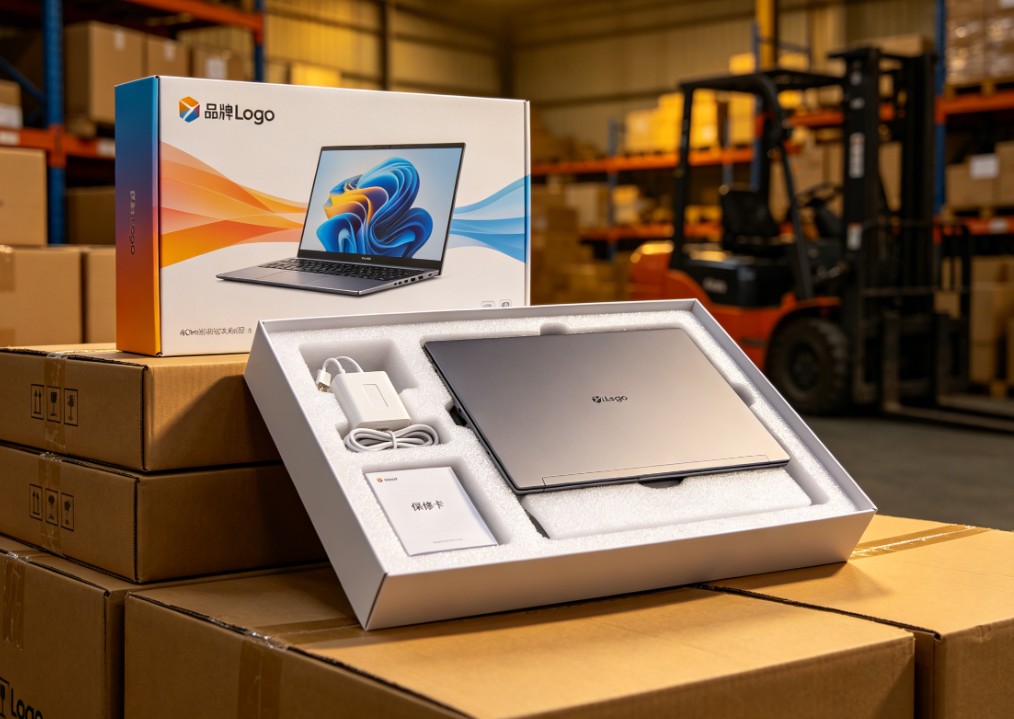
White-Label vs Neutral Laptops: Worth Buying? Pros, Cons & Guide
Should you buy white-label or neutral laptops in bulk? Learn the real pros and cons, quality-control risks, TCO calculation, sample inspection, and after-sales planning.

Celeron N5095 vs N100 vs N305: White-Label Laptop CPU Guide
Celeron N5095 or Intel N100/N305? Compare architecture, iGPU, memory support, power limits, and real-world performance to choose the right white-label laptop.

White-Label Laptops Explained: What They Are & Should You Buy?
Learn what a white-label laptop is, how it differs from knockoffs, barebones, and private-label models. Covers pros, cons, risks, and a practical buying guide for budget buyers.

AMD Ryzen AI Max 395 Mini PC: Worth It? Pros, Cons & Benchmarks
Is the Ryzen AI Max 395 mini PC worth the price? See real-world LLM inference, gaming, power, noise, and pros/cons to decide if this 128GB AI workstation fits your needs.
Adreamer

© 2012-2025 Copyright Shenzhen Adreamer Technology Co., Ltd.粤ICP备18115621号-2
Contact Adreamer Today for Your Custom Solution & Quote!
© 2012-2025 Copyright Shenzhen Adreamer Technology Co., Ltd.粤ICP备18115621号-2













