
Get in Touch
Your Trusted Manufacturer of Laptops & Tablets

WhatsApp Us Directly
+86 13923410269
Email Us
Get in Touch
Your Trusted Manufacturer of Laptops & Tablets

If you are sourcing computers in bulk for a company, studio, retail store, or project, you will likely encounter quotes for “white-label laptops” or “neutral laptops”: same size, same-generation processor, same memory and storage, but priced noticeably lower than first-tier brands. The first reaction is often—can we buy these if they are this much cheaper?
My assessment: white-label laptops are not impossible to procure, but they suit scenarios where requirements are clear, risks are controllable, and after-sales support can back you up. If you use them to replace mission-critical frontline machines, or place an order based only on a per-unit quote, you may later be dragged down by quality control, repairs, and batch consistency. This article explains the cost structure, pros and cons, procurement process, inspection methods, contract terms, and how to shore up after-sales weaknesses.
In the industry, a white-label laptop usually refers to a laptop produced by an ODM/OEM factory or solution provider, branded by a distributor, system integrator, or the customer themselves—or even shipped without any brand logo. A neutral laptop emphasizes “weak brand identity, channels mainly wholesale and solution providers,” with a public-mold appearance and a configuration sheet that can be adjusted per order. It is not entirely the same as a “knockoff”: some neutral laptops come from legitimate factories with public-mold tooling, complete motherboard solutions, and certification documents; others are refurbished units, engineering samples, or excess inventory mixed in. What procurement needs to distinguish is whether the supply chain is transparent—not just whether there is a logo.
These products are common in office laptops, education laptops, customer service seats, store checkout, warehouse inventory, livestream backup machines, and training rooms. They often use public molds, with screens, memory, SSDs, batteries, and wireless cards purchased by the factory in batches. The configuration sheet may look the same, but the actual component brands may differ—this is also the root cause of low prices and large batch-to-batch variation in white-label laptops.
Look at the cost first. White-label laptops are cheaper not because of some magical technology, but because several cost blocks are compressed.
First, mold and R&D costs are amortized. Public molds are shared by multiple customers, so the factory does not need to bear long-term R&D and appearance tooling costs for a single brand.
Second, material combinations are flexible. The same machine can be configured with different price-tier screens, different brand memory and SSDs. Quotes can be pushed very low, but material transparency also decreases.
Third, channel and after-sales costs are compressed. First-tier brands must maintain service outlets, spare parts warehouses, call centers, and brand promotion. White-label products rely more on solution providers or distributors for repairs—service radius is smaller, and response speed depends on supplier strength.
Another easily overlooked point: certification and compliance documents. Legitimate brands prepare CCC, energy efficiency, radio transmission equipment model approval, battery safety, and other documents completely. White-label products may not have complete documents for every batch. If procurement only compares prices without requiring certifications and a bill of materials (BOM), you may be passive during acceptance, audits, exports, or platform spot checks. My advice: a white-label quote must be broken down—unit price, screen specifications, memory/SSD brands, battery capacity and cells, wireless card model, OS license, warranty period, and spare parts prices. Do not rush to compare if any item is missing.
The biggest attraction of neutral laptops is budget flexibility. For roles such as customer service, training, stores, and warehousing that mainly use fixed office software, browsers, and lightweight ERP, performance overkill is meaningless. Reducing per-unit cost and equipping the full headcount is more practical.
Customization by need is also an advantage: some scenarios require an RJ45 port, some need multiple USB ports, and some want memory and storage directly at an adequate level. Public-mold solutions are usually easier to negotiate than branded retail models.
Minimum order quantities and lead times are also relatively flexible. Small-batch trials, project-based procurement, and temporary seat expansion—white-label suppliers can often offer faster scheduling. Once multiple models share the same mold, accessories such as power adapters, keyboards, and casings have better commonality, making spare parts management simpler. For procurement teams doing system integration, education projects, or livestream equipment, neutral laptops can serve as “tool machines” without bearing brand premiums. But the premise is: you know they serve non-critical roles, and the supplier can provide an executable after-sales plan.
The disadvantages must also be made clear.
First, quality control fluctuation. A public mold does not mean a bad mold, but at the same quote, screens, memory, SSDs, and batteries may be swapped between batches. Early samples and delivered mass production not matching is not uncommon.
Second, screen and storage mixing. Low color gamut, low brightness, PWM dimming, slow SSDs, and unknown-brand memory may not be visible from specs alone. After batch use, eye fatigue, stuttering, and drive failures will surface.
Third, battery and power safety. Battery cells, protection boards, and adapters vary in quality. Procurement must require clear specifications and certification documents for batteries and power supplies—do not look only at capacity numbers.
Fourth, BIOS and driver updates. White-label machines often lack long-term driver maintenance. After reinstalling the OS, missing original drivers, malfunctioning hotkeys, and abnormal sleep/wake are common problems.
Fifth, after-sales repair turnaround. Branded machines can use service outlets; white-label machines mostly rely on dealer mail-in or factory repair. Repair turnaround and spare parts supply must be written into the contract.
Sixth, residual value and asset management. White-label laptops have low second-hand residual value, and depreciation disposal is less convenient than first-tier brands.
Seventh, compliance risk. Incomplete invoices, warranty certificates, certification documents, and serial number management can affect corporate acceptance and audits.
Once these hidden costs are included, the “cheapness” of a white-label laptop may not be as dramatic as the quote suggests.
Suitable scenarios are clear: budget-sensitive, small batch, light workload roles, no brand image requirement, in-house basic IT capable of handling system images and simple faults, and a supplier willing to provide samples and spare parts. Examples: training rooms, temporary project teams, store backup machines, customer service outbound seats, warehouse scanning, and livestream control backup machines. Even if a single unit fails in these roles, it can be quickly replaced without affecting core business.
Not recommended scenarios are equally clear: finance, R&D, design, video editing, external presentations, executive office, critical business windows, and roles requiring long warranty and on-site service; as well as projects with high export, tendering, platform spot-check, or audit requirements. If the buyer lacks inspection capability and relies only on verbal supplier promises, large-batch white-label purchases are also not recommended. One more category to be especially careful with: prices significantly below market public-mold solutions, promises of “brand new original” but refusal to provide a BOM and serial number rules—high probability of refurbished, engineering samples, or excess inventory mixed in.
White-label laptop procurement should calculate total cost of ownership, not just unit price. At minimum, include these items: unit purchase price, OS licensing and image deployment costs, incoming inspection and sampling labor, downtime loss from failures, spare parts ratio, repair logistics, after-sales response time, residual value disposal after three years, and compliance document costs. In actual procurement, I require suppliers to quote a three-year total cost for the same configuration and warranty, not just the first-unit price. If a white-label laptop is 10% cheaper but the repair rate is several points higher and each repair takes two weeks, it may not be worthwhile for bulk seats.
Another calculation method is to allocate machines by role. Use branded or first-tier business laptops for core roles, and neutral laptops for non-critical roles—spending budget where it truly affects the business. This controls costs without concentrating risk in one supplier. For purchase quantity, do not go straight to mass production the first time. Get 3–5 sample units and run them in real business for two weeks before deciding on bulk purchase. Keep records of the sample and mass-production batches for later comparison.
Do not screen suppliers only by how fast they quote. First check business license, taxpayer qualification, past supply cases, and whether they can provide factory relationships or authorization chains. Ask clearly whether the complete machine is original factory, public-mold assembly, or refurbished/reconfigured; what brands and specs are used for screen, memory, SSD, battery, and network card; whether warranty is store warranty, mail-in repair, or factory warranty; and how many years spare parts are supplied. Suppliers who can provide actual sample photos, serial number rules, packing lists, and certification documents will have much lower communication costs.
At the sample stage, focus on consistency. Take two units of the same configuration and compare screen model, memory chips, SSD controller, battery label, adapter nameplate, and BIOS version. If samples and mass production are not the same materials, the contract should specify the “allowed material substitution range” and “written confirmation required before substitution.” Try to hold back final payment until acceptance passes. For large batches, arrange inspection and sample appearance, screen, ports, battery, and stress-test stability. Suppliers willing to cooperate with these processes are usually more reliable than verbal promises that “quality is no problem.”
Do not just boot up and look at the desktop. Step one: check appearance and serial numbers—casing gaps, hinge tightness, screen dead pixels, keyboard feel, loose ports, and whether serial numbers match packaging and warranty documents. Step two: test the screen—use solid color images for dead pixels, light leakage, and color spots; use grayscale for dark detail; check for obvious flicker at low brightness. Step three: check battery and power—battery health, cycle count, normal charging, adapter nameplate power and certification marks, and power supply temperature under load.
Step four: run performance and thermal tests—open common office software, multiple browser tabs, and video conferencing simultaneously to observe stuttering; run a stress test tool for 15–30 minutes and record CPU frequency, temperature, fan noise, and throttling. Step five: test ports and wireless—USB, HDMI, Ethernet, headphone jack, camera, microphone one by one; test Wi-Fi and Bluetooth stability and speed at common distances. Step six: check system and drivers—reinstall the OS once and see whether drivers can be found, hotkeys work, and sleep/wake behaves normally. Step seven: stability sampling—for bulk arrivals, sample by ratio, perform continuous power on/off, sleep/wake, and video playback, and record serial numbers of abnormal units.
Do not sign for the entire bulk shipment at once. First verify model, configuration, quantity, packaging, and serial number ranges, then perform appearance and functional checks using AQL sampling. Sampling records should be tabulated: serial number, screen condition, battery health, ports, stress test results, and abnormal description. If the same issue exceeds the agreed ratio, suspend acceptance and require the supplier to replace the batch or provide written explanation. Acceptance standards should be clearly written in the contract, such as dead pixel count, minimum battery health, throttling criteria, maximum failure rate, and replacement deadline.
After warehousing, do not rush to distribute to everyone. First create a unified image, asset tags, warranty registration, and spare parts reserve. For white-label machines especially, keep a batch of same-model spare units; the ratio depends on how critical the roles are. System images should include drivers in advance to avoid installing drivers on each machine individually. Asset records should include supplier, batch, serial number, and warranty expiration date for future repair reference.
The after-sales weakness of white-label laptops must be compensated by the buyer. The contract should specify warranty period, response time, repair turnaround, spare parts supply years, who bears shipping, and handling of overdue repairs. Require the supplier to provide common spare parts prices—battery, adapter, keyboard, screen—to avoid uncontrolled repair quotes later. For bulk purchases, negotiate backup machines or spare parts kits so critical roles can “swap a broken unit immediately” without waiting for repairs.
For asset management, standardize system images, disable unnecessary startup items, and set up driver backups and remote support tools. For battery-powered devices, record health and conduct centralized testing after one year. Plan residual value disposal in advance—white-label laptops have weak second-hand circulation, so depreciation and scrapping processes must be compliant. Procurement does not end with the purchase; how you maintain these machines over the next three years determines whether they truly save money.
Common pitfalls include: quotes listing only “i5/16G/512G” without specific models; samples with high color gamut screens but mass production swapped to low color gamut; mixed unknown-brand memory and SSDs; fake battery capacity; insufficient adapter power; locked or non-updatable BIOS; warranty stating only “one-year store warranty” without response time; invoices and serial numbers not matching; refurbished units sold as new; engineering samples mixed into mass production. The core of avoidance is not chasing the lowest price, but writing configuration, materials, batches, acceptance, and after-sales into executable clauses.
Before procurement, ask the supplier specific questions: What is the exact screen model and color gamut for this batch? What are the brands and controllers of the memory and SSD? What are the battery cell and protection board specs? Will BIOS be updated later? Where do repairs ship back, and how many days on average? How many spare parts can be kept for the same batch? If the answers are vague, be cautious no matter how low the price.
Yes, but by scenario. They can be considered for non-critical roles, budget-sensitive situations, and when you have inspection capability and an after-sales backup plan. For critical business and long-warranty needs, they are not recommended as replacements for primary machines.
Neutral laptops emphasize public-mold solutions and weak-brand channels, and may come from legitimate factories. Knockoffs are more often low-quality assembly, refurbished units, or fake specifications. The key is whether the BOM, certification documents, serial numbers, and after-sales are transparent.
Commonly dealer store warranty or mail-in repair; a few can go through factory warranty. Procurement should specify warranty scope, response time, repair turnaround, shipping costs, and spare parts prices—do not just accept “one-year warranty.”
At least 3–5 units, run for two weeks in real business, covering common software, video conferencing, peripherals, and network environments. Sample batch and mass-production batch should be traceable.
Yes for light office, customer service, training, and store scenarios—provided configuration is adequate, screen and battery are not cut down, system images are unified, and after-sales has backup machines. Not recommended for design, R&D, finance, or other critical roles.
Industry-Specific Solutions
Latest Blog
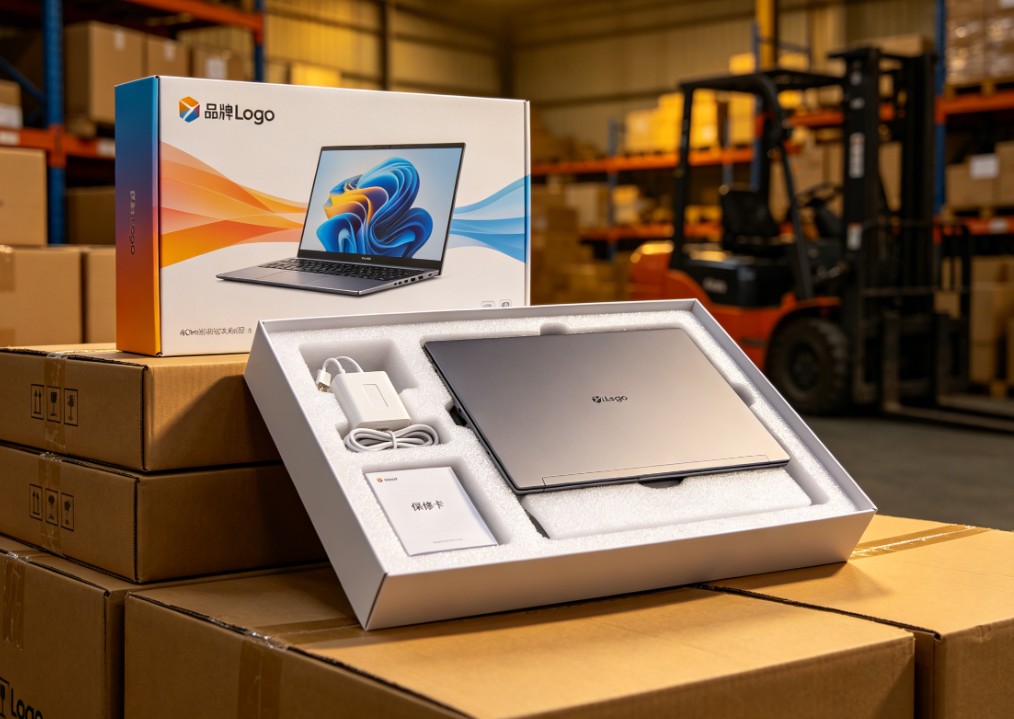
White-Label vs Neutral Laptops: Worth Buying? Pros, Cons & Guide
Should you buy white-label or neutral laptops in bulk? Learn the real pros and cons, quality-control risks, TCO calculation, sample inspection, and after-sales planning.

Celeron N5095 vs N100 vs N305: White-Label Laptop CPU Guide
Celeron N5095 or Intel N100/N305? Compare architecture, iGPU, memory support, power limits, and real-world performance to choose the right white-label laptop.

White-Label Laptops Explained: What They Are & Should You Buy?
Learn what a white-label laptop is, how it differs from knockoffs, barebones, and private-label models. Covers pros, cons, risks, and a practical buying guide for budget buyers.

AMD Ryzen AI Max 395 Mini PC: Worth It? Pros, Cons & Benchmarks
Is the Ryzen AI Max 395 mini PC worth the price? See real-world LLM inference, gaming, power, noise, and pros/cons to decide if this 128GB AI workstation fits your needs.
Adreamer

© 2012-2025 Copyright Shenzhen Adreamer Technology Co., Ltd.粤ICP备18115621号-2
Contact Adreamer Today for Your Custom Solution & Quote!
© 2012-2025 Copyright Shenzhen Adreamer Technology Co., Ltd.粤ICP备18115621号-2













