
Get in Touch
Your Trusted Manufacturer of Laptops & Tablets

WhatsApp Us Directly
+86 13923410269
Email Us
Get in Touch
Your Trusted Manufacturer of Laptops & Tablets

Walk into any mall or browse online marketplaces, and the "kids' tablet" section is always one of the busiest. Some claim "AI smart learning," others tout "blue light blocking eye protection," and some are wrapped in cartoonish designs to attract children. Prices range from as low as $30 to over $500. Parents are often overwhelmed by marketing jargon, ending up either overpaying for underperforming products or buying a standard tablet that lets their child get lost in games.
In reality, kids' tablets are fundamentally different from adult tablets. It‘s not simply about a smaller screen or a cartoon-colored case. A truly qualified kids' tablet requires specialized design in eye protection technology, system controls, content safety, and compliance with international standards. By 2026, as regulations on children’s electronic products tighten worldwide, choosing a kids' tablet has clear, hard metrics.
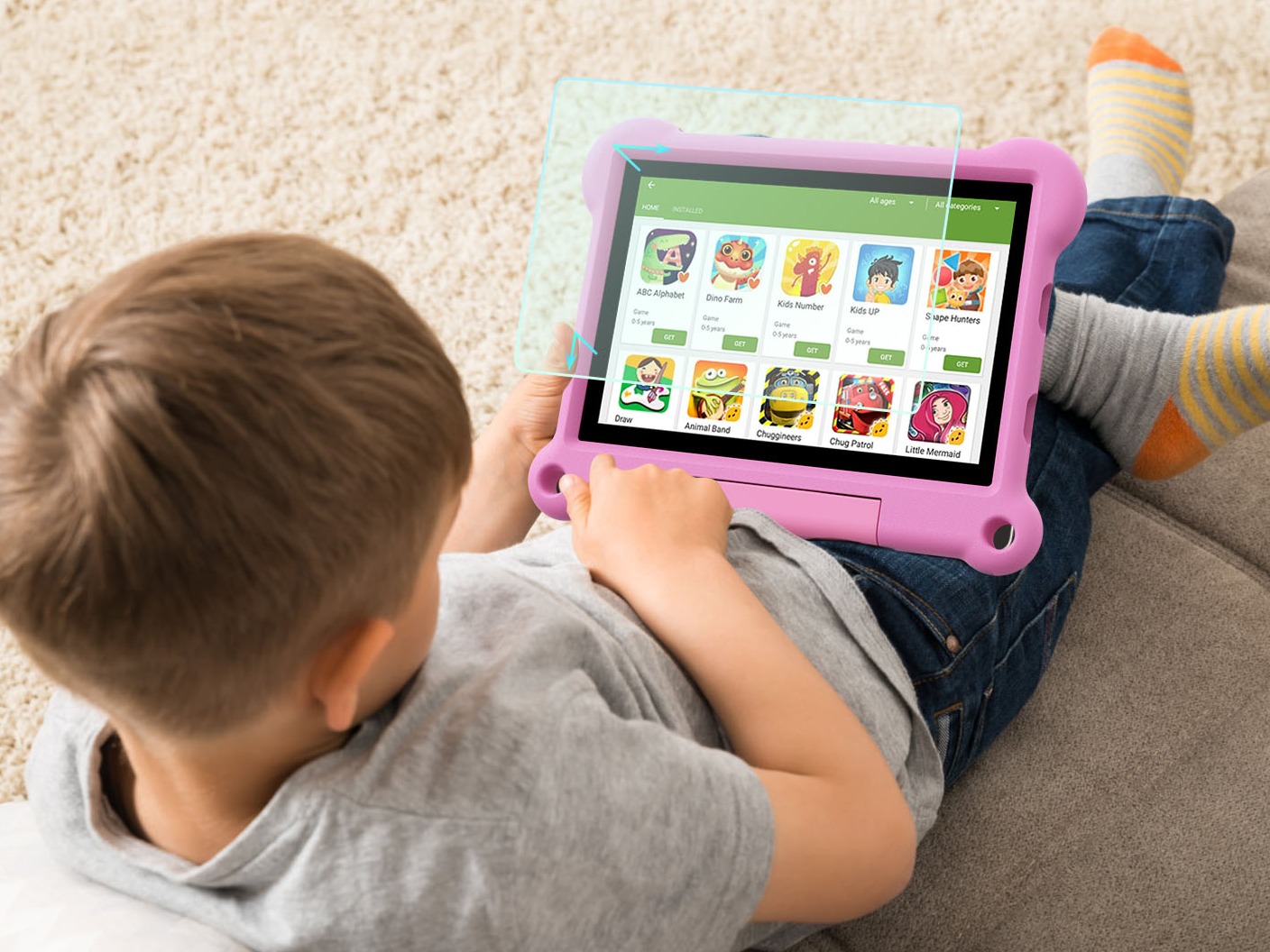
The biggest concern for parents buying a tablet is vision damage, which is why many brands promote "eye protection screens." But behind the phrase "eye protection," the actual technology varies enormously.
The "eye comfort mode" on standard tablets simply turns the screen yellow via software, filtering some blue light but causing severe color distortion. Children dislike using it, and the effectiveness is limited. True hardware-level low blue light reduces harmful blue light in the 415-455nm band at the backlight technology level while maintaining normal color reproduction.
How to verify: Check if the product has obtained TÜV Rheinland Low Blue Light Certification or complies with GB/T 38120-2019 (Chinese standard). Certification info is usually listed on the product page or in the manual.
Many tablets use PWM (Pulse Width Modulation) dimming, where the screen flickers at a very high frequency. Although invisible to the naked eye, prolonged use can cause dry and tired eyes. DC dimming adjusts brightness by changing the current, resulting in no flicker.
How to verify: Point your phone‘s camera at the tablet screen and lower the brightness. If you see scrolling black bars, it’s PWM dimming. No bars means DC dimming.
Standard tablet screens are mirror-like and reflective, forcing children to lean in closer to see clearly, increasing eye strain. AG matte screens use a micro-particle surface treatment that diffuses ambient light, making the screen content clear without glare.
How to verify: Touch the screen – an AG matte screen feels slightly textured like fine sandpaper. Tilt the tablet – a standard screen will show a clear reflected image.
High-end kids' tablets include a distance sensor that automatically blacks out the screen when the eyes are less than 25cm (10 inches) away, reminding the child to move back. An ambient light sensor automatically adjusts brightness based on room lighting.
Buying advice: Hardware low blue light + DC dimming are the minimum requirements. AG matte and distance sensors are valuable extras. Products that only mention “eye comfort mode“ without specifying the technology can be ruled out.
Many so-called ”kids' tablets“ are just standard Android tablets with a few apps preloaded. They boot up with ads, and the app store is filled with games and paid content. Children can easily click into them and even make accidental in-app purchases.
A genuine kids' tablet should have a deeply customized OS: it boots into a ”kids desktop“ with a simple interface, large icons, and soft colors. No browser, no app store, no settings access (to prevent children from changing configurations).
Check for pop-up ads, banner ads, or floating windows recommending game downloads. Quality kids' tablets are ad-free; all content is preloaded educational resources.
Children should not be able to download any apps themselves. Installing new apps must require parent approval via a mobile device or password.
Parents should be able to lock the tablet to a single app, preventing the child from exiting. This is especially important for toddlers.
Buying advice: Boot the tablet and use it for 5 minutes. If you see random ads or game icons, and the interface looks like a standard tablet, it‘s a fake kids’ tablet.
A kids' tablet is not just an electronic device; it‘s a children’s product and must meet strict safety standards.
If the product is exported or claims to meet international standards, it should have:
Ask the seller to provide third-party test reports confirming compliance with these standards. If they can‘t produce them or are vague, move on.
Buying advice: Prioritize products with CCC + GB/T 38977 test reports. For international brands or cross-border purchases, also check for CE/FCC/EN71.
The internet is full of inappropriate content. Even if a kids’ tablet comes preloaded with educational resources, children might access harmful material through search or web browsing.
A genuine children's tablet has fixed icons on the home screen that children cannot add or delete. The content these icons point to (such as English learning, math thinking, and picture book stories) is preset by the manufacturer or parents and cannot access external networks.
Good kids' tablets let parents use a mobile app to select which apps and content the child can access from a cloud resource library. For example, a 4-year-old might only have access to nursery rhymes and picture books, with math and programming disabled.
A browser is the biggest risk. Quality kids' tablets either have no browser, or the browser can only visit parent-approved whitelist sites with search functions disabled.
Built-in videos, animations, and courses should be reviewed by professional educational teams to ensure no violence, pornography, or horror elements. Parents can request a content list.
Buying advice: Open the tablet‘s settings or “parent center” and check the content management options. If it allows free internet access or an app store, it lacks a whitelist mechanism and is unsuitable for young children.
Parents can‘t watch their child constantly. Remote control features allow parents to monitor and manage usage even when away.
A parent mobile app should allow you to:
Some kids‘ tablets also allow the parent to remotely capture the screen or use the front camera to see the child’s environment (use with privacy awareness, recommended for younger children).
Buying advice: Download the brand‘s parent app and test its responsiveness and feature completeness. Products that require the child to actively request permission are much less effective.
Children are rough on devices – dropping, throwing, spilling water, mashing buttons. A standard tablet might break three times in one semester, with repair costs adding up to the price of a new one.
Silicone protective case: thickened corners, full-edge coverage, removable and washable.
Internal cushioning: shock-absorbing foam between screen and housing.
Drop test rating: Does it pass 0.8m – 1m (2.6-3.3 ft) drop tests? Ask the manufacturer for test reports.
There should be waterproof gaskets at the screen and body seams to handle tipped water cups or splashes from handwashing. At least IPX4 (splash-proof) rating.
③ Reinforced Buttons
Power and volume buttons should be rubberized and recessed below the casing surface to avoid damage from impacts. Button resistance should be moderate – easy for a child to press.
④ Screen Toughness & Non-Toxic Materials
The screen should be shatter-resistant glass or come with a pre-installed tempered glass protector to prevent scratches from sharp objects.
Casing material should be food-grade silicone (non-toxic, chewable) compliant with RoHS and REACH.
Buying advice: Choose models that come with a drop-protection silicone case and verify that the case material is food-grade silicone. Avoid ”naked“ designs.
| Metric | Acceptable Standard | Common Trap |
|---|---|---|
| Eye Protection | Hardware low blue light + DC dimming + AG matte (optional) | Only mentions “eye comfort mode” without technical details |
| System Purity | Ad-free, no built-in game store, app install requires parent approval | Standard Android tablet in disguise |
| Safety Standards | CCC + GB/T 38977 (China); CE/FCC/EN71 (International) | Seller cannot provide test reports |
| Content Whitelist | Can only access preset content, no unrestricted browser | Can freely search the web or download games |
| Parental Remote Control | Usage reports, time limits, remote lock available | Only simple password lock |
| Hardware Durability | Silicone protective case, splash resistance, reinforced buttons, non-toxic materials | Naked design, fragile, unpleasant odor |
We hope this 2026 guide helps you avoid marketing traps and choose a learning tablet that truly benefits your child. If you still have questions, feel free to leave a comment below.
Industry-Specific Solutions
Latest Blog

N100 vs N95 Mini PC Performance Comparison
Compare Intel N100 vs N95 mini PCs. See CPU, iGPU, TDP, power draw, gaming, and NAS performance—plus clear buying advice for office, soft router, and light gaming.

RK3588 vs RK3588S: Key Differences for Edge Computing Boards
Compare RK3588 and RK3588S for edge computing. Learn PCIe, SATA, Ethernet, and MIPI interface differences to choose the right board for your project’s expansion needs.
AI Compute Box Bulk Procurement: 3C, CE, FCC Certification Guide
Learn the key certification requirements for bulk buying AI compute boxes. Covers 3C, CE, FCC compliance, common pitfalls, and how to verify certificates to avoid legal risks.

RK3588 vs N100: Which Is Better for Local LLM Deployment?
Compare RK3588 and N100 for running local LLMs. See real-world token speeds, power, memory, software support, and which chip fits your AI workload.
Adreamer

© 2012-2025 Copyright Shenzhen Adreamer Technology Co., Ltd.粤ICP备18115621号-2
Contact Adreamer Today for Your Custom Solution & Quote!
© 2012-2025 Copyright Shenzhen Adreamer Technology Co., Ltd.粤ICP备18115621号-2













