
Get in Touch
Your Trusted Manufacturer of Laptops & Tablets

WhatsApp Us Directly
+86 13923410269
Email Us
Get in Touch
Your Trusted Manufacturer of Laptops & Tablets

If you’re reading this, you’re probably tired of bleeding money on OpenAI API credits, or you’ve got regulatory compliance (hello, GDPR) breathing down your neck about sending customer data to the cloud. You want to run Llama 3.1, DeepSeek-Coder V2, or Qwen locally. But when you start shopping, you hit a brick wall: Do you buy that sleek $500 AI mini PC from Beelink or Minisforum, or do you go for the rugged, palm-sized Edge AI Box like the NVIDIA Jetson Orin?
These two categories get lumped together by most 'review' sites, which is a huge mistake. They are not competing products; they are completely different tools for completely different jobs. And with the recent explosion of local AI agents like OpenClaw (which turns your local model into a browser automation and web-walking agent), the hardware choice just got a whole lot more complicated.
Here’s the no-BS breakdown based on real-world testing, thermal throttling data, and total cost of ownership (TCO)—so you don’t end up with an expensive paperweight.
The first thing you need to understand is that memory bandwidth is king, not TOPS (Trillions of Operations Per Second). LLM inference is a memory-bound task. Your processor can do math at light speed, but if it’s starving for data waiting for RAM, it’s useless.
If you’re in the US or EU and buying from Amazon/Newegg, you can return a mini PC easily. The Edge AI box usually comes via specialized industrial distributors, so warranty and returns are a hassle.
I tested both platforms using Ollama and LM Studio with the same Q4_K_M quantized models. Here are the raw numbers on tokens per second (t/s), averaged over a 5-minute continuous conversation to account for thermal throttling:
| Hardware | Model | Peak Tokens/s | Sustained (5 min) | Power Draw |
|---|---|---|---|---|
| Mini PC (Ryzen 7 8845HS, 64GB DDR5) | Llama 3.1 8B | 14.5 t/s | 13.8 t/s | 55W |
| Mini PC (Ryzen 7 8845HS, 64GB DDR5) | DeepSeek-Coder V2 16B | 9.2 t/s | 8.9 t/s | 62W |
| Edge Box (Jetson Orin NX 16GB) | Llama 3.1 8B | 10.2 t/s | 9.8 t/s | 22W |
| Edge Box (Jetson Orin NX 16GB) | DeepSeek-Coder V2 16B | 4.5 t/s | Throttled to 3.8 | 25W |
Here’s the kicker: The Mini PC handles the larger context windows (32k tokens) much better because system RAM is abundant. The Edge Box starts swapping to virtual memory once context exceeds 12k tokens, dropping performance off a cliff.
If you haven't heard of OpenClaw yet, it’s the trending open-source framework that gives your local LLM the ability to control your browser, click buttons, scrape websites, and navigate the internet like a human operator. This is the new killer use-case for local hardware.
Running OpenClaw is very different from running a standard chatbot. OpenClaw requires:
The Verdict here is brutal for Edge AI Boxes. When I ran OpenClaw using the Qwen-2.5-7B-Instruct model for a browser automation task (scraping a 10-page e-commerce site), the Edge AI Box hit a wall. The 16GB unified memory ran out within 3 minutes due to the massive system prompt and historical context memory, causing the OpenClaw process to crash outright.
The AI Mini PC, however, with its 64GB RAM, handled it like a champ. I allocated 8GB to the model, 16GB to the context cache, and left the rest for the system. Sustained inference stayed above 12 t/s for 15 minutes straight.
Bottom line: If you just want to chat with a 7B model for fun, both work. If you want to deploy OpenClaw or any AutoGPT-style agent for actual work, you absolutely need the RAM headroom of an AI Mini PC. Edge AI boxes are strictly for 'fire-and-forget' single-inference tasks.
Let’s talk about where you’re actually putting this device.
The AI Mini PC usually comes with a loud, tiny 40mm fan. Under full load running OpenClaw, my Minisforum UM780 XTX hit 78°C, and the fan was screaming at 4500 RPM. It sounds like a jet engine taking off. If you’re putting this in a shared office space or your living room, your family will hate you. You’ll need to undervolt it or set a strict TDP limit in the BIOS, which defeats the purpose of the high performance.
The Edge AI Box is often passively cooled or uses a silent 5V blower. The Jetson Orin NX is whisper-quiet. You can mount it on a DIN rail in an electrical cabinet or hide it behind a monitor. For industrial use, outdoor kiosks, or security cameras running local LLM for anomaly detection, the Edge Box is the only option. A mini PC would cook in a dust-filled factory environment.
Here is where many Western buyers get tricked by flashy marketing.
curl -fsSL https://ollama.com/install.sh | sh script. It works in 2 minutes. Need CUDA? Just install the standard NVIDIA drivers if you have an eGPU, or rely on ROCm/OpenVINO. The community support on Reddit r/LocalLLaMA is massive. You will find a Docker container for everything.My strong advice for the western hobbyist or startup CTO: Unless you have a dedicated embedded systems engineer on payroll, avoid the Edge AI Box. The 'setup time' is the hidden cost nobody talks about. The Mini PC is a 'set and forget' appliance.
Let’s do the math in USD over a 3-year lifespan:
| Cost Factor | AI Mini PC (Mid-Range) | Edge AI Box (Orin NX) |
|---|---|---|
| Upfront Cost | ~$600 (Barebone + 64GB RAM + 2TB SSD) | ~$500 (16GB dev kit) |
| Electricity (24/7) | ~$160/year (55W) | ~$50/year (20W) |
| Upgrade Path | High (Swap RAM/SSD for future 72B models) | None (Buy new unit) |
| Depreciation | 40% after 2 years (still works as a great home server) | 60% after 2 years (SoC becomes outdated fast) |
If you plan on running models larger than 20B parameters in the next two years, the Mini PC wins on TCO because you can just buy a 96GB RAM kit later for $200. The Edge Box is a dead-end socket.
Still stuck? Here is the matrix tailored to your specific global use-case:
Buy the AI Mini PC IF:
Buy the Edge AI Box IF:
There is a new rule of thumb in the Local LLM community for 2026: 'If you can't run OpenClaw on it, it's not a general-purpose AI machine.' By this standard, the Edge AI Box fails because of memory constraints, while the AI Mini PC passes with flying colors.
For 90% of you reading this—whether you are a freelancer in the UK, a startup in Singapore, or a researcher in the US—the AI Mini PC is the correct choice. Specifically, look for a Ryzen 7 8845HS or Core Ultra 9 model with two SODIMM slots. Install 64GB DDR5-5600 immediately. Don't even bother with the pre-configured 16GB or 32GB models; that is the biggest rookie mistake.
The Edge AI Box is a phenomenal piece of engineering, but it is a specialty tool for specialty physical deployments. Don't buy one just because it looks cool on Instagram. Buy it because you need to analyze video feeds on a factory floor without an internet connection.
Remember: RAM is the new GPU. When running local LLMs—especially for agentic workflows—the bandwidth and volume of your system memory dictate your future. Don't let the marketing fluff of 'AI TOPS' fool you. Prioritize memory bandwidth and capacity, and you'll be future-proofed for the Llama-4 generation.
Industry-Specific Solutions
Latest Blog
AI Compute Box Bulk Procurement: 3C, CE, FCC Certification Guide
Learn the key certification requirements for bulk buying AI compute boxes. Covers 3C, CE, FCC compliance, common pitfalls, and how to verify certificates to avoid legal risks.

RK3588 vs N100: Which Is Better for Local LLM Deployment?
Compare RK3588 and N100 for running local LLMs. See real-world token speeds, power, memory, software support, and which chip fits your AI workload.

Edge AI Box vs Cloud Server:Which Is Cheaper Long-Term?
A detailed TCO comparison of edge AI boxes and cloud servers. Covers hardware, bandwidth, power, and O&M costs, with break-even analysis and a decision checklist.
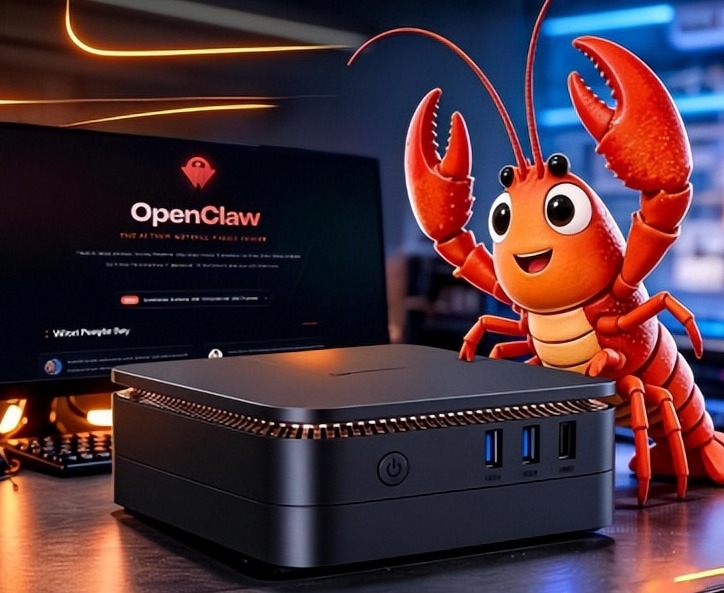
What AI Mini PC Do You Need for Private Local LLM Deployment?
Learn what AI mini PC specs you need for private deployment of local LLMs: memory, NPU, storage, offline capability, and configuration recommendations for 7B–70B models.
Adreamer

© 2012-2025 Copyright Shenzhen Adreamer Technology Co., Ltd.粤ICP备18115621号-2
Contact Adreamer Today for Your Custom Solution & Quote!
© 2012-2025 Copyright Shenzhen Adreamer Technology Co., Ltd.粤ICP备18115621号-2













