
Get in Touch
Your Trusted Manufacturer of Laptops & Tablets

WhatsApp Us Directly
+86 13923410269
Email Us
Get in Touch
Your Trusted Manufacturer of Laptops & Tablets

You have a computer vision project. Maybe it is detecting defects on a high-speed production line. Maybe it is counting customers in a retail store. Maybe it is identifying safety violations on a construction site. You have trained your model, and it works beautifully on your workstation. Now comes the hard part: getting it to run reliably in the real world, on a device that can survive the heat, the dust, the vibration—and do it all at a price that makes business sense.
You need an AI Inference Box—also called an Edge AI Box, Vision Accelerator, or Smart Edge Gateway. But walk into this market blind, and you will drown in acronyms: NPU, GPU, VPU, TOPS, FPS, TDP, IP65, PoE, MIPI, PCIe, ONNX, TensorRT, OpenVINO... The list goes on.
This guide cuts through the noise. Written for system integrators, engineering managers, and procurement professionals, it provides a vendor-neutral, deeply practical framework for selecting AI inference hardware specifically for vision-based edge projects.
By the end, you will know exactly what questions to ask your supplier—and which specifications actually matter.
Let's start with a clear definition.
An AI Inference Box is a standalone, ruggedized computing device designed to run machine learning inference at the edge—close to where the data is generated. Unlike a general-purpose PC, it is purpose-built for:
| Confused With | The Key Difference |
|---|---|
| AI PC | An AI PC is a personal productivity device with a screen and keyboard. An inference box is headless and designed for 24/7 unattended operation. |
| Cloud GPU Server | A cloud server processes data from many cameras but introduces network latency and bandwidth costs. An inference box processes data locally. |
| Industrial PC (IPC) | A traditional IPC runs SCADA or HMI software. An inference box is purpose-built for neural network acceleration. |
| Development Board | A dev board (like Raspberry Pi or Jetson Nano dev kit) is for prototyping. An inference box is production-ready with certifications, enclosures, and mounting options. |
text
Camera/Sensor → Video Feed → Preprocessing → AI Model Inference → Post-processing → Action (Alert/Log/Control Signal)
All of this happens inside the box. The model runs locally. The data stays local. Only the results—alerts, metadata, or statistics—are sent to the cloud or central server.
Why not just run your model on a standard PC or send everything to the cloud?
For many vision applications, speed matters. A production line moving at 2 meters per second gives you less than 100 milliseconds to detect a defect before the part moves past the camera. Cloud inference adds 200-500ms of network round-trip time. That is too slow.
An inference box keeps the entire pipeline on-device, delivering consistent sub-50ms latency.
A single 1080p camera at 30fps generates roughly 1.5-2.5 Mbps of compressed video. Multiply that by 10 cameras, and you are streaming 20 Mbps continuously to the cloud. That bandwidth bill adds up fast—and it grows with every camera. Local processing eliminates this cost.
If your cameras capture faces, license plates, or sensitive industrial processes, you may not want that data leaving your premises.
Edge inference does not depend on the internet. If the network goes down, the box keeps running. If your project is in a factory, mine, or remote site, this is not a nice-to-have—it is a requirement.
Now we get to the core of this guide. Evaluating an AI inference box is not about picking the one with the highest TOPS number. It requires balancing five interconnected dimensions.
This is where most buyers start—and where many make mistakes.
TOPS is the theoretical peak performance of the NPU or GPU. A higher TOPS number suggests more capability, but raw TOPS is a ceiling you'll rarely hit in practice. Actual performance depends on:
A box that achieves 80% of its theoretical TOPS with your specific model is often better than one that achieves only 30% of a higher theoretical ceiling.
| Processor Type | Strengths | Weaknesses | Best For |
|---|---|---|---|
| NPU (Neural Processing Unit) | Highest efficiency for CNN/Transformer workloads | Limited flexibility; requires specific framework support | High-volume vision inference at low power |
| GPU (Integrated/Discrete) | High flexibility; supports most frameworks | Higher power consumption; more expensive | Complex models requiring FP16/FP32 precision |
| VPU (Vision Processing Unit) | Very low power; optimized for vision tasks | Lower peak performance than NPU/GPU | Battery-operated or passive-cooled devices |
| CPU (with AVX-512/VNNI) | Universal compatibility | Poor efficiency for deep learning | Fallback; prototyping |
| Application | Recommended Platform | Typical Model | Example Hardware |
|---|---|---|---|
| Face recognition (1-4 cameras) | NPU (5-15 TOPS) | Lightweight CNN | Rockchip RK3588, Intel Core Ultra |
| People counting / retail analytics | NPU (5-10 TOPS) | MobileNet, YOLOv5n | Qualcomm QCM6490, MediaTek Genio |
| Industrial defect detection | GPU / High-performance NPU (20+ TOPS) | ResNet50, YOLOv8m | NVIDIA Jetson Orin NX, Intel Core Ultra |
| Multi-camera (8+ streams) | GPU (Discrete) / Server-class | Multi-stream YOLO | NVIDIA RTX A2000, Jetson AGX Orin |
This is the dimension most commonly overlooked during evaluation—and the primary cause of field failures.
TDP is the maximum heat the processor generates under load. The lower the TDP, the easier it is to cool. The easier it is to cool, the smaller, quieter, and more rugged your enclosure can be.
| TDP Range | Cooling Required | Typical Enclosure | Suitable Environment |
|---|---|---|---|
| <15W | Passive (no fan) | Sealed, IP65/IP67 | Dusty, outdoor, medical |
| 15-35W | Active (small fan) | Vented with filter | Retail, office, light industrial |
| 35-65W | Active (larger fan/heat pipe) | Vented, larger chassis | Indoor with ventilation |
| >65W | High-performance active or liquid | Server-style, rackmount | Datacenter or controlled environment |
If you are deploying in:
Ask your supplier for thermal performance test data—not TDP numbers, but actual chassis temperature readings under full inference load at your specific ambient temperature.
This is where vision projects get specific. Your box must connect to cameras, sensors, network infrastructure, and actuators.
| Interface | Use Case | Notes |
|---|---|---|
| MIPI-CSI | High-bandwidth, low-latency raw sensor data | Direct connection to camera modules; minimal latency |
| USB (UVC) | Commercial webcams and industrial USB cameras | Plug-and-play; max cable length ~5m |
| GigE / 10GigE | Professional machine vision cameras | Long cable runs (100m+); requires PoE support |
| HDMI | Display output, not camera input | For monitoring; not typically used for vision input |
| Interface | Importance | Notes |
|---|---|---|
| Ethernet (GigE) | Essential | For network connectivity; if multiple ports, supports daisy-chaining |
| PoE (Power over Ethernet) | Highly recommended | Powers the camera directly from the box; simplifies cabling |
| Wi-Fi | Optional | For provisioning and setup; not recommended for video streaming |
| 4G/5G | Useful for remote sites | Enables data upload from locations without wired internet |
| CAN/RS-232/RS-485 | Essential for industrial | Connects to PLCs, actuators, and industrial sensors |
| Type | Capacity | Endurance | Use Case |
|---|---|---|---|
| eMMC | 32-128GB | Medium | Boot drive and lightweight logging |
| NVMe SSD | 128-2TB | High | High-speed model loading, video buffer, continuous recording |
| Industrial SD | 32-512GB | Very high (SLC) | Rugged applications with vibration and frequent writes |
Requirement: The box should support at least a 256GB NVMe SSD for storing models, video buffers, and logs. For extended buffering (24+ hours of video), consider 1TB or more.
Your vision project's physical environment is the second most common reason for field failures. The box must match its surroundings.
| Specification | Entry-Level | Industrial | Rugged/Outdoor |
|---|---|---|---|
| Operating Temperature | 0°C to 40°C | -10°C to 55°C | -20°C to 70°C |
| Storage Temperature | -10°C to 60°C | -20°C to 70°C | -40°C to 85°C |
| Ingress Protection (IP) | IP40 (indoor only) | IP54 (dust-proof, splash-proof) | IP65/IP67 (dust-tight, water-jetted/immersed) |
| Shock & Vibration | Consumer | MIL-STD-810G (1.2m drop) | MIL-STD-810H (1.5m drop, high vibration) |
| Mounting Options | Desktop / wall-mount | DIN-rail / VESA | DIN-rail / pole-mount / VESA |
For industrial environments, IP65 with wide temperature support is strongly recommended.
For mobile applications (AGVs, drones, forklifts), shock and vibration resistance becomes critical.
Hardware is useless without software. The box must integrate into your existing pipeline with minimal friction.
| Framework | Typical Support | What to Verify |
|---|---|---|
| TensorRT (NVIDIA) | High | Check CUDA version compatibility |
| OpenVINO (Intel) | High | Verify model optimizer supports your model format |
| ONNX Runtime | Medium | Check runtime version; confirm NPU acceleration |
| TFLite / TFLite Micro | Medium | Ensure delegate (NPU/GPU) is available |
| MediaPipe | Low | Many boxes lack optimized MediaPipe pipelines |
| Custom | Variable | If you have custom ops, confirm they are supported |
| OS | Strengths | Weaknesses |
|---|---|---|
| Linux (Ubuntu, Yocto, Debian) | Complete control, minimal overhead, stable, free | Requires internal expertise; no enterprise support |
| Windows 11 IoT Enterprise | Compatibility with .NET/custom apps, accessible to non-Linux teams | Higher overhead; licensing costs; less real-time performance |
| Android | Consumer-grade touchscreen applications | Limited industrial software; complex for vision stacks |
Follow this structured path to narrow down your options based on project requirements.
| Platform | Processor | NPU/GPU Peak | Typical TDP | Software Stack | Best Application | Relative Cost |
|---|---|---|---|---|---|---|
| Rockchip RK3588 | ARM Cortex-A76/A55 | 6 TOPS NPU | 5-15W | RKNN Toolkit | Cost-effective vision; 1-4 cameras | Low |
| Intel Core Ultra 5 125H | x86 (Redwood Cove/Crestmont) | 10 TOPS NPU | 28W | OpenVINO, ONNX | General-purpose AI; Windows compatibility | Medium-Low |
| Intel Core Ultra 7/9 200V | x86 (Lunar Lake) | 48 TOPS NPU | 17-30W | OpenVINO, ONNX | Premium AI PC; LLM + vision | Medium-High |
| NVIDIA Jetson Orin NX | ARM Cortex-A78AE | 70 TOPS GPU | 15-25W | TensorRT, CUDA | Industrial vision; 4-8 cameras | Medium |
| NVIDIA Jetson AGX Orin | ARM Cortex-A78AE | 200-275 TOPS GPU | 15-60W | TensorRT, CUDA | High-end vision; 8+ cameras | High |
| Qualcomm QCM6490 | ARM Kryo 670 | 5.5 TOPS NPU | 6-10W | Qualcomm AI Engine | Android-based; low-power retail | Medium |
| AMD Ryzen AI 9 HX 370 | x86 (Zen 5) | 50 TOPS NPU | 28W | ONNX, PyTorch | High-end graphics + AI | High |
| Industry | Application | Camera Count | Recommended Platform | Key Environmental Requirement |
|---|---|---|---|---|
| Manufacturing | Defect detection on production line | 4-8 | NVIDIA Jetson Orin NX / Intel Ultra 5 | Industrial temperature; vibration tolerance; IP54+ |
| Smart Retail | People counting and customer heatmap | 1-4 | Rockchip RK3588 / Qualcomm QCM6490 | Retail operating temperature; compact form factor |
| Security & Surveillance | Perimeter monitoring and intrusion detection | 8-16 | NVIDIA AGX Orin / Intel Ultra 7 with dGPU | Wide temperature; outdoor weather resistance; high storage capacity |
| Smart City | Traffic flow and congestion analysis | 8-16 | NVIDIA AGX Orin / High-end Intel | Wide temperature; weather resistance; robust networking |
| Healthcare | Patient monitoring and fall detection | 1-4 | Rockchip RK3588 (fanless) | Passive cooling; clean-room compatible; low maintenance |
| Agriculture | Crop health analysis and pest detection | 4-8 | NVIDIA Jetson Orin NX / Intel Ultra 5 | Wide temperature; dust and moisture resistance; solar/battery compatibility |
A higher TOPS number does not guarantee better real-world performance. Model compatibility and software optimization often matter more. Test with your actual model on actual hardware.
A box rated for 50°C operation in a lab may throttle at 45°C in an unventilated control cabinet. Insist on thermal verification at your intended ambient temperature.
The best hardware is useless if your framework isn't supported. Confirm your model format and framework are compatible before signing a contract.
One USB port and no PoE can break a deployment. Map out your camera and sensor connections—then verify the box has enough of the right ports.
For exports to the US (FCC), EU (CE), or UK (UKCA), certifications are not optional. They are required for import clearance and legal sales. Verify certifications cover the exact final SKU, not just the motherboard.
Before committing to a supplier, ask these five questions:
| Question | Why It Matters |
|---|---|
| 'Can you provide thermal performance test data under full inference load at my target ambient temperature?' | Confirms the box can sustain advertised performance in real-world deployment. |
| 'Do you have in-house EMI/ESD pre-compliance testing capability?' | Factories with in-house testing detect and fix failures earlier, saving time and re-test costs. |
| 'What is your BSP/driver update commitment for this platform?' | Long-term support ensures security and compatibility over the product lifecycle. |
| 'Do you have reference designs certified for FCC/CE/UKCA as a finished system?' | Certifications must cover the final product; custom enclosure changes may require recertification. |
| 'What is the lead time for a second batch?' | Availability consistency prevents project delays when you need to scale. |
①Define the job – Application, camera count, inference frequency.
②Characterize the environment – Temperature, dust, vibration, mounting.
③Map the data pipeline – Input formats, bandwidth, buffering requirements.
④Choose the compute – Match the workload and power/thermal budget to the platform.
⑤Validate the software – Test the entire pipeline with one representative unit.
The AI inference box market is crowded. But with this framework, you are equipped to look past the marketing claims and assess hardware on the metrics that actually matter for your vision project.
One final piece of advice: before committing to a volume order, run a pilot with 5-10 units in your actual operating environment for 30 days. No datasheet can replace real-world validation.
Industry-Specific Solutions
Latest Blog
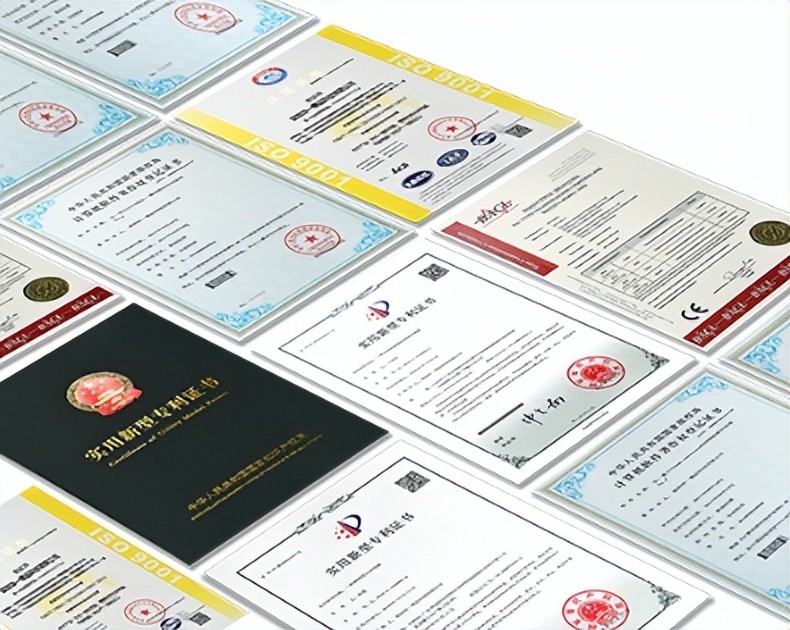
AI Compute Box Bulk Procurement: 3C, CE, FCC Certification Guide
Learn the key certification requirements for bulk buying AI compute boxes. Covers 3C, CE, FCC compliance, common pitfalls, and how to verify certificates to avoid legal risks.

RK3588 vs N100: Which Is Better for Local LLM Deployment?
Compare RK3588 and N100 for running local LLMs. See real-world token speeds, power, memory, software support, and which chip fits your AI workload.
Edge AI Box vs Cloud Server:Which Is Cheaper Long-Term?
A detailed TCO comparison of edge AI boxes and cloud servers. Covers hardware, bandwidth, power, and O&M costs, with break-even analysis and a decision checklist.
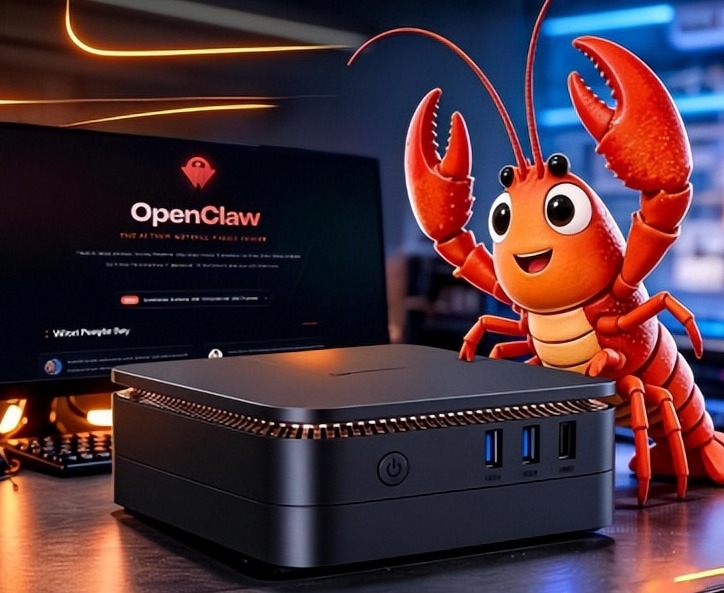
What AI Mini PC Do You Need for Private Local LLM Deployment?
Learn what AI mini PC specs you need for private deployment of local LLMs: memory, NPU, storage, offline capability, and configuration recommendations for 7B–70B models.
Adreamer

© 2012-2025 Copyright Shenzhen Adreamer Technology Co., Ltd.粤ICP备18115621号-2
Contact Adreamer Today for Your Custom Solution & Quote!
© 2012-2025 Copyright Shenzhen Adreamer Technology Co., Ltd.粤ICP备18115621号-2













