
Get in Touch
Your Trusted Manufacturer of Laptops & Tablets

WhatsApp Us Directly
+86 13923410269
Email Us
Get in Touch
Your Trusted Manufacturer of Laptops & Tablets

If you’ve deployed rugged industrial tablets on your job site and they keep crashing, have mismatched ports, or suffer from software glitches – don’t immediately blame the product quality.
You may have overlooked something fundamental: your customization requirements never aligned with the actual working environment.
Industrial sites are nothing like offices. Dust, vibration, extreme temperatures, bright light, grease… every rugged tablet should be a tool tailored specifically to its environment. Yet many companies simply tick boxes on a generic configuration sheet and place an order. Then, when the devices arrive on the production line, they find – the screen is unreadable in sunlight, the battery can’t last two shifts, or they are missing two serial ports.
All your procurement budget, deployment plans, and staff training rely on one premise: the tablet must be customized precisely for your working conditions.
If that premise fails, everything that follows is wasted.
First, let’s get one concept straight.
A rugged industrial tablet is not a smartphone. You can’t just buy it off the shelf, insert a SIM card, and start using it. The customization process is essentially translating your operating environment into a list of hardware and software parameters.
Think of it as configuring a work pickup truck. An ordinary car can’t handle rough terrain – you need to choose the chassis height, tire type, dust protection rating, and even whether to add a roller shutter for the cargo bed. Rugged tablets are the same:
The customization manufacturer is the “upfitter”. You must tell them: what roads the truck will drive on, how heavy the load will be, how cold the winter gets, how hot the summer is. Only then can they build a truck that won’t break down.
If you just say “I want a pickup truck”, you’ll likely get a demo unit that doesn’t suit your worksite.
Before you rush to add every feature you can think of, pause: not every “cool” configuration fits your scenario.
Some parameters are already satisfied by standard offerings. For example, ordinary dust protection (IP54) vs. top‑level dust protection (IP67) have a significant cost difference. If your environment is a woodworking shop with coarse, sparse dust, IP54 is sufficient; paying for IP67 is just budget waste.
Some features can even conflict with each other:
True on‑demand customization is about subtraction while meeting core requirements. Every added module increases cost, power consumption, and failure rate. First identify which functions are “the device cannot work without them”, and which are “nice to have but not essential”.
The method is simple, in four steps.
Spread out your detailed Site Condition Sheet. It should clearly state:
Then take the supplier’s Customization Confirmation Sheet and compare item by item. Any mismatch must be resolved before prototyping.
Do not test the supplier’s prototypes in your office. The air‑conditioned, quiet, dust‑free environment of an office reveals nothing.
Take the prototype directly to your production line, port, mine, or cold storage – run it for 24 hours in real conditions.
A legitimate rugged tablet customization supplier should provide the following third‑party or in‑house test reports:
If the supplier only says “we follow military standards” without data to back it up, walk away.
site: Search to Find Industry Cases (Reverse Validation)You can search Google with site:competitor‑or‑well‑known‑manufacturer.com rugged tablet cold chain to see what industry solutions they have published.
From this public information, you can reverse‑engineer which configurations peers have chosen for similar conditions and which pitfalls they avoided. All of this is free competitive intelligence.
Troubleshooting a failed customization does not require you to learn hardware design. Most issues come down to a few common causes.
Many people simply write “need one rugged tablet”, maybe adding “industrial grade”.
That’s like going to a restaurant and saying “a bowl of noodles”. You didn’t specify broth or dry, thick or thin, spicy or not.
The correct approach is to provide a Site Condition Description that at least includes:
Industrial sites have many legacy devices that still use RS232, RS485, or even TTL‑level serial ports. Rugged tablets typically only offer standard USB and LAN ports.
If you forget to mention “need to connect two RS485 meters”, when the devices arrive you’ll discover – add a conversion cable? Each extra cable is a new failure point. Re‑customize? Two months minimum.
Rugged tablet customization is not just hardware. Many spend a lot on hardware, only to find on site that the software won’t run:
Before hardware customization, run your software completely on a prototype – including driver installation, permission requests, peripheral calls, and network policies.
Real example: a port used rugged tablets for container scanning. In summer, under direct sun, the tablet case surface exceeded 60°C. The device automatically throttled to protect itself, the screen dimmed – operators couldn’t read barcodes, and work stopped.
The supplier claimed “wide‑temperature design”, but wide‑temperature refers to internal components, not the case heating from sun exposure.
Such problems can only be avoided by on‑site testing or by asking the supplier to provide thermal imaging data of the operating temperature curve.
It depends on which part goes wrong.
If battery life is two hours short, and charging frequency goes from once a day to twice a day – that’s not a big impact.
But if you have an unattended automated inspection robot, two hours less battery means the entire inspection route must be redesigned, possibly with intermediate charging stations.
A more serious case: a chemical plant customized 20 explosion‑proof rugged tablets but did not match the explosion rating to the site’s gas group. EX ib IIC T4 vs. EX ib IIB T4 – just one letter difference, but the former is allowed in hydrogen environments, the latter is not. When safety inspectors found the mismatch, all 20 units were scrapped. Re‑customization took three months, and the production line information system was down that entire time.
Another often‑overlooked loss: maintenance costs multiply. Over‑customization (non‑standard ports, custom batteries, special display cables) makes later repairs extremely difficult. If the supplier discontinues a custom module, you may need to replace the entire batch.
Professional advice: whenever possible, choose standard modules over deep customization. On‑demand customization means making limited adjustments to existing mature platforms, not designing a new board from scratch.
Many companies treat “customization” as an afterthought. They decide the production line plan, software system, and operating procedures first, and only at the end think “oh, right – what terminal will the operator use?”
The problem with this order is that your software, processes, and training all depend on the tablet’s usability.
If the screen is too small, the graphical buttons you designed may be hard to press. If the ports are insufficient, your planned automated data collection becomes manual. If it won’t boot at low temperature, your cold‑weather operating procedure is dead.
Customizing a rugged tablet is not a nice extra – it is the final physical interface of your entire digital transformation. If that interface is wrong, everything above it – software, processes, data – is useless even if correct.
Enough theory. Let’s go step by step.
Do not write requirements while sitting in the office. Go to the site and spend a day with the operators.
Record:
Write all of this into a Site Condition Sheet. The more detail, the better.
Convert each line of site conditions into tablet parameter requirements.
Site Condition Description
Corresponding Parameter
Outdoor, strong sunlight | Brightness ≥1000 nits, optical bonding |
Operators wear rubber gloves | Capacitive touch sensitivity ≥10 points, glove mode support |
Working in -10°C cold storage | Battery low‑temperature heating, operating temperature from -20°C |
8 hours of vibration daily (forklift) | Pass MIL-STD-810G Method 514.6 |
Need to connect two serial devices | At least 2 native RS232 or RS485 ports (no adapters) |
Do not look for agents that only sell finished products. Go directly to manufacturers with R&D and production capabilities.
Ask them:
The ideal prototype quantity is 3–5 units.
Use them for:
Define clear rules when testing prototypes on site:
Only after all acceptance criteria are met, sign the batch order.
Customized devices often have non‑standard spare parts. Keep a small number of spare devices for quick replacement. Also require the supplier to commit in the contract to at least 3 years of spare parts supply.
One last point many overlook: want to know if your customization direction is good? Look at what your peers are doing.
You don’t need to steal technical drawings. Public information is enough:
Piece this information together. You will find:
All of this is free benchmarking. Spending an afternoon studying peer cases is more effective than going back and forth with a supplier for three weeks on a requirement list.
Customizing rugged industrial tablets on‑demand is not about buying a device; it’s about copying your working environment into the supplier’s design process.
The more detailed your requirements, the fewer surprises. Only after thorough on‑site testing can batch production be reliable.
Don’t let your tablet become the “always not quite right” weak link in your project.
Its customization quality determines whether your entire digital solution is a success or a failure.
Industry-Specific Solutions
Latest Blog

AMD Ryzen AI Max 395 Mini PC: Worth It? Pros, Cons & Benchmarks
Is the Ryzen AI Max 395 mini PC worth the price? See real-world LLM inference, gaming, power, noise, and pros/cons to decide if this 128GB AI workstation fits your needs.

N100 vs N95 Mini PC Performance Comparison
Compare Intel N100 vs N95 mini PCs. See CPU, iGPU, TDP, power draw, gaming, and NAS performance—plus clear buying advice for office, soft router, and light gaming.
RK3588 vs RK3588S: Key Differences for Edge Computing Boards
Compare RK3588 and RK3588S for edge computing. Learn PCIe, SATA, Ethernet, and MIPI interface differences to choose the right board for your project’s expansion needs.
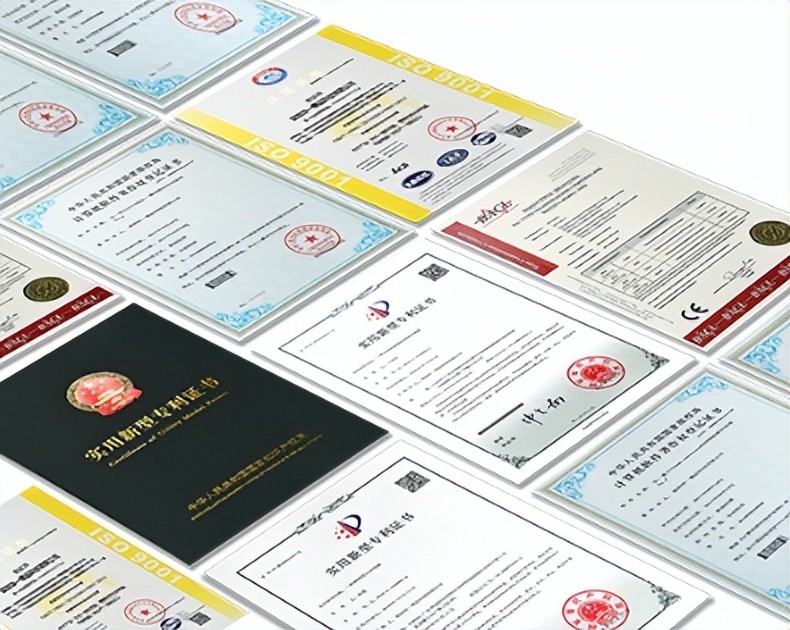
AI Compute Box Bulk Procurement: 3C, CE, FCC Certification Guide
Learn the key certification requirements for bulk buying AI compute boxes. Covers 3C, CE, FCC compliance, common pitfalls, and how to verify certificates to avoid legal risks.
Adreamer

© 2012-2025 Copyright Shenzhen Adreamer Technology Co., Ltd.粤ICP备18115621号-2
Contact Adreamer Today for Your Custom Solution & Quote!
© 2012-2025 Copyright Shenzhen Adreamer Technology Co., Ltd.粤ICP备18115621号-2













