
Get in Touch
Your Trusted Manufacturer of Laptops & Tablets

WhatsApp Us Directly
+86 13923410269
Email Us
Get in Touch
Your Trusted Manufacturer of Laptops & Tablets

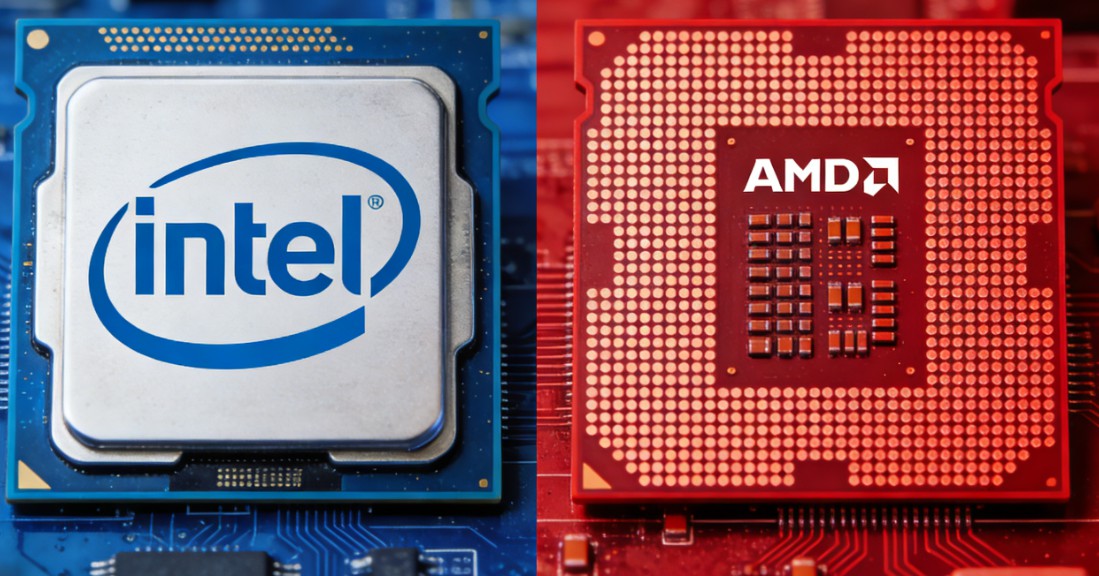
When you visit an e‑commerce site or a computer store, you’ll inevitably face two major CPU camps: Intel and AMD. The blue brand (Intel) has long dominated the market, while the red brand (AMD) has made a strong comeback with its Ryzen series, becoming synonymous with value. They have competed for more than half a century, and today they remain neck and neck. In 2026, Intel offers the 14th Gen Core and Core Ultra series, while AMD counters with Ryzen 7000/8000 series and the powerful X3D line. What are the real differences? Which one fits your needs better?
Intel was founded in 1968 and is the founder of the x86 architecture. For decades, its Core processor series became the PC industry benchmark. “Intel Inside” was once a hallmark of quality. Intel’s product line is clearly divided into i3, i5, i7, and i9, with generational numbering that is easy to understand. Historically, Intel has been known for high clock speeds, strong single‑core performance, and broad software optimization, delivering stable performance in gaming and daily productivity. In enterprise procurement and branded PC markets, Intel remains the mainstream choice.
AMD was founded in 1969 and was long considered Intel’s follower. That changed in 2017 when AMD launched its Zen‑architecture Ryzen processors, turning its fortunes around. Today, AMD leads with advanced chiplet technology, early adoption of PCIe 5.0 and DDR5, and stacked 3D V‑Cache (X3D) technology, often surpassing Intel in gaming and productivity. AMD’s positioning is “more cores and threads for less money,” making it a favorite among DIY enthusiasts and content creators.
Intel (12th Gen and later): Uses hybrid architecture with Performance‑cores (P‑cores) and Efficient‑cores (E‑cores). P‑cores handle heavy workloads, while E‑cores manage background threads, improving multi‑core performance while controlling power. This requires Windows 11 for optimal scheduling.
AMD (Zen 4 and earlier): Sticks with all large cores – every core is equal, no scheduling headaches, and power consumption is relatively controlled. Zen 5 might introduce hybrid cores, but information is still unclear.
AMD stacks an extra 64MB of L3 cache on some CPUs, bringing total to 96MB (e.g., 7800X3D). This massive cache significantly boosts gaming performance, especially in cache‑sensitive titles like CS2 and PUBG, giving a 10‑20% frame rate advantage over Intel. Intel currently lacks a comparable technology.
Intel 14th Gen still uses Intel 7 (10nm Enhanced), resulting in higher power consumption.
AMD Zen 4 uses TSMC’s 5nm process, delivering excellent power efficiency. Zen 5 is expected to use TSMC 3nm/4nm.
AMD AM5 socket: Promised support through 2027. Buy a Ryzen 5 7600X today and you can upgrade to Zen 5 or Zen 6 later without changing the motherboard – low upgrade cost.
Intel LGA1700: Supports 12th‑14th Gen Core, but the next generation (Arrow Lake) will switch to LGA1851 – future upgrades will require a new motherboard.
Top gaming CPU: AMD Ryzen 7 7800X3D is currently the king. With 96MB of L3 cache, it often beats Intel’s i9‑14900K in frame rates across most online and AAA games, while using only half the power.
Mid‑range gaming: R5 7500F (no iGPU) – priced around $140, outperforms i5‑13400F and trades blows with i5‑13600K. The i5‑13600KF also excels in single‑core‑sensitive games due to its high frequency.
Verdict: For pure gaming, AMD offers better value. The 7800X3D is a no‑brainer recommendation.
Intel advantages: Intel’s Quick Sync technology (via iGPU) accelerates encoding/decoding in video editors like Premiere Pro. The E‑cores also help with multitasking.
AMD advantages: At the same price, AMD typically offers more physical cores (e.g., R9 7950X 16 full cores vs. i9‑14900K 8 P‑cores + 16 E‑cores). In pure CPU rendering (Cinebench, V‑Ray), AMD often leads, and its lower power consumption means less throttling during long runs.
Verdict: If you use Adobe Creative Cloud (especially Premiere), an Intel CPU with iGPU (non‑F) gives extra acceleration. For Blender, 7‑Zip, or other pure CPU rendering, AMD flagships are superior.
For mid‑range and above, both are overkill. An i5 or R5 with 16GB RAM handles Office, VS Code, and virtual machines easily. Prioritize price and power consumption.
Intel 13th/14th Gen desktop K‑series: Extremely power‑hungry. An i9‑14900K can pull over 300W at full load – requires a 360mm liquid cooler. Even an i5‑13600K draws 180W+, needing a dual‑tower air cooler.
AMD Zen 4 (non‑X3D): Excellent power control – R9 7950X ~170W, R5 7600X ~90W. X3D series runs even cooler. A standard $30‑40 air cooler is sufficient.
Bottom line: AMD saves you money on cooling and runs quieter.
| Price Range (USD) | Intel Recommendation | AMD Recommendation | Notes |
|---|---|---|---|
| <$110 | i3‑14100F | R5 5600 (tray) | AMD great value, but AM4 has no upgrade path |
| $110‑210 | i5‑13400F / 14400F | R5 7500F / 7600 | Gaming → 7500F; productivity → i5 |
| $210‑280 | i5‑13600KF | R7 7700 / 7800X3D | Gaming → 7800X3D; mixed loads → i5 |
| >$280 | i7‑14700K / i9‑14900K | R9 7900X / 7950X | More cores for AMD; Intel has QuickSync |
Total platform cost: AMD AM5 requires DDR5 and a B650 motherboard (priced between H610/B760 and Z790). Intel LGA1700 can use cheaper DDR4, but DDR4 is end‑of‑life. Overall, platform costs are similar.
Intel: Core Ultra series focuses on AI efficiency and better battery life; HX series for high‑performance gaming laptops.
AMD: Ryzen 7040/8040 HS series offer excellent integrated graphics – great for light gaming on thin‑and‑light laptops, with competitive battery life and pricing.
Advice: For thin‑and‑light laptops balancing battery and iGPU performance, choose AMD. If you need Thunderbolt 4 or absolute stability, choose Intel. Gaming laptops vary by chassis and price – both are viable.
Primarily gaming: AMD. R5 7500F offers unbeatable value; if budget allows, go for the 7800X3D.
Video editing / streaming: Intel with iGPU (non‑F) models (e.g., i5‑13600K) for QuickSync acceleration.
Scientific computing, compiling, rendering: AMD R9 series – more full cores, lower price than i9, and lower power consumption.
Future upgrade potential: AM5 platform is future‑proof; Intel LGA1700 is at end‑of‑life.
Basic office, stock trading, senior use: Buy whichever is cheaper – even a Pentium or R3 with iGPU will suffice.
Final thought: There is no “always better” brand – only the processor that fits your specific needs. Before buying, search YouTube for “CPU model + GPU model + game you play” to see real framerates, or “CPU model + software you use” to check render times. Make an informed decision.
Industry-Specific Solutions
Latest Blog

Edge AI Box vs Cloud Server:Which Is Cheaper Long-Term?
A detailed TCO comparison of edge AI boxes and cloud servers. Covers hardware, bandwidth, power, and O&M costs, with break-even analysis and a decision checklist.
What AI Mini PC Do You Need for Private Local LLM Deployment?
Learn what AI mini PC specs you need for private deployment of local LLMs: memory, NPU, storage, offline capability, and configuration recommendations for 7B–70B models.

How to Choose an Edge Computing Box Manufacturer: ODM/OEM Guide
Learn how to evaluate edge computing box manufacturers. Compare source factories, ODM/OEM models, MOQ, certifications, and customization to find the right partner.
How to Choose an AI Mini PC in 2026: NPU & Memory Buying Guide
A practical guide to choosing an AI mini PC in 2026. Learn how to match NPU TOPS, memory capacity, and bandwidth to your workload, avoid common pitfalls, and pick the right configuration.
Adreamer

© 2012-2025 Copyright Shenzhen Adreamer Technology Co., Ltd.粤ICP备18115621号-2
Contact Adreamer Today for Your Custom Solution & Quote!
© 2012-2025 Copyright Shenzhen Adreamer Technology Co., Ltd.粤ICP备18115621号-2













