
Get in Touch
Your Trusted Manufacturer of Laptops & Tablets

WhatsApp Us Directly
+86 13923410269
Email Us
Get in Touch
Your Trusted Manufacturer of Laptops & Tablets

Amazon Fire Kids Tablet, LeapFrog LeapPad, Samsung Galaxy Tab Kids, VTech, and iPad’s family sharing mode… every brand claims to be “designed for children.” But as a parent, do you really know the differences? A good kids’ tablet is much more than a cartoon case or a dozen preloaded games. It needs to be fully customized for children in terms of physical safety, eye protection, content filtering, and parental controls.
Based on international safety standards (EN71, ASTM F963, CE, FCC, RoHS), eye protection certifications (TÜV Rheinland, Eyesafe), and mainstream educational content compliance frameworks (COPPA, GDPR‑K), this guide explains five popular kids’ tablets and provides age‑based recommendations.
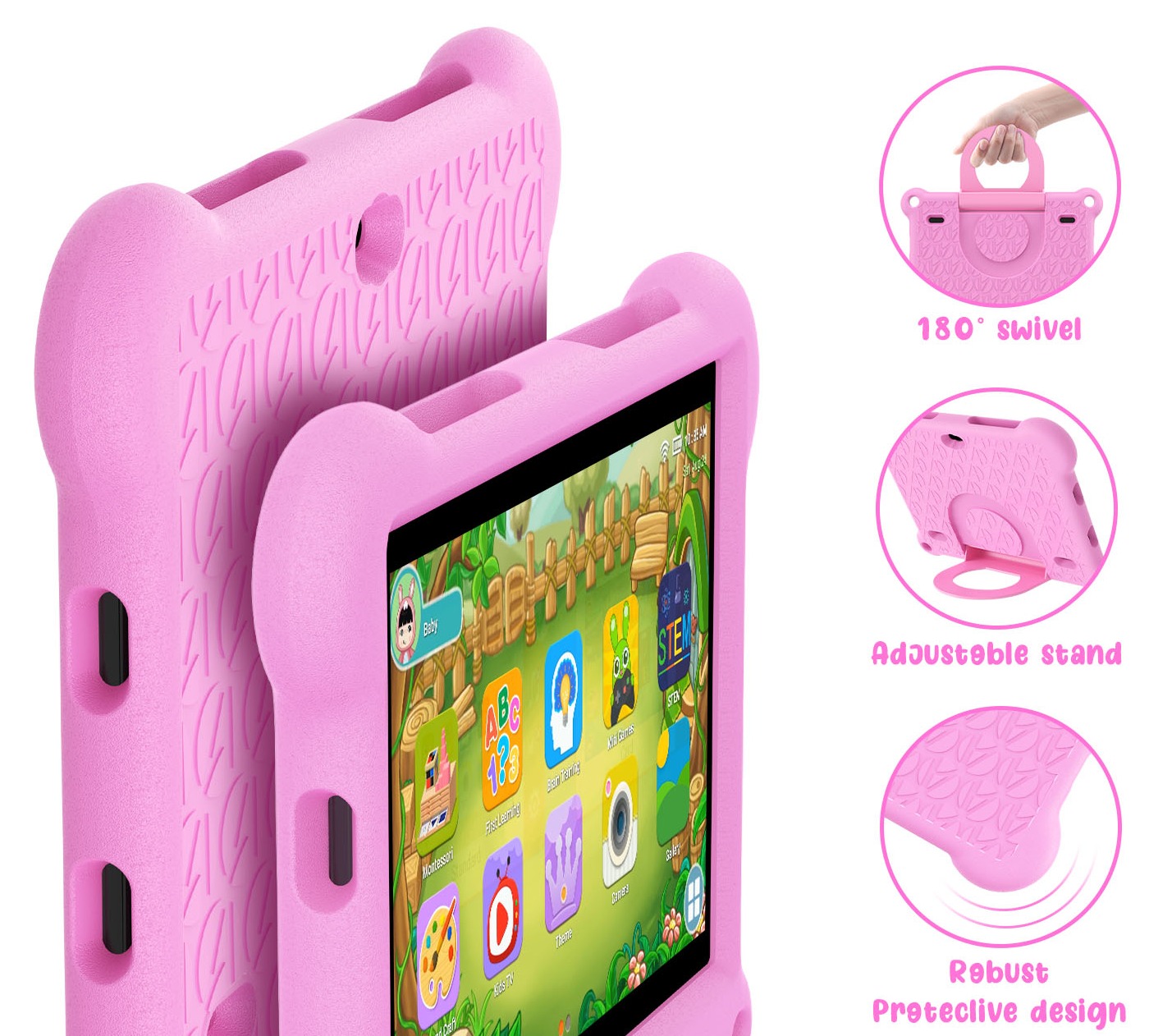
Children may drop, bite, or lick their tablets. Reliable brands pay special attention to:
Information collected by kids’ tablets (voice, location, usage habits) is strictly regulated by law. In the US/EU markets, compliant products must follow:
Brand performance:
Buying advice: Prioritize brands that promise “no ads, no in‑app purchases, no data misuse” and read the privacy policy carefully.
| Certification | Standard | Requirement |
|---|---|---|
| TÜV Rheinland Low Blue Light | Hardware‑level | Filters harmful blue light (415‑455nm), maintains color accuracy |
| TÜV Rheinland Flicker Free | Flicker‑free | DC dimming or no visible flicker |
| Eyesafe® Certified | Balance of blue light & color | Developed with ophthalmologists |
| UL Verified Less Blue Light | Blue light intensity level | Level 2 or 3 is excellent |
Important reminder: No matter how good the eye protection, follow the 20‑20‑20 rule – every 20 minutes, look at something 20 feet away for 20 seconds. Enforcing mandatory breaks is more effective than any screen technology.
The core value of a kids’ tablet is “what they learn” and “how they learn.” Content strategies vary greatly.
| Brand | Content Model | Free Resources | Paid Subscription | Age Range |
|---|---|---|---|---|
| Amazon Fire Kids | Amazon Kids+ ( ~$6/month ) | Few pre‑loaded | Thousands of books, videos, games, educational apps | 3‑12 |
| LeapFrog | Own curriculum + downloadable game cards | Basic apps | Extra learning cards sold separately | 3‑9 |
| Samsung Kids | Partner with third‑party educators (Khan Academy Kids, Toca Boca, etc.) | Some free | Samsung Members may offer free access | 4‑10 |
| iPad | Wide selection via App Store (parent installs) | Free apps like Khan Academy, Duolingo | Many paid premium apps | Any age |
Compliance: In the US/EU, all in‑app purchases and ads require parental authorization. Amazon Kids+ is ad‑free, all content human‑reviewed. LeapFrog has no external links – very safe.
Different ages need different features:
Special note: LeapFrog content becomes too young after age 9. Amazon Kids+ has a teen mode but limited depth. Older children are better served by a standard tablet with robust parental controls.
| Model | Starting Price | Screen Size | Eye Protection | Physical Protection | Content Model | Parental Controls | Best Age |
|---|---|---|---|---|---|---|---|
| Amazon Fire 7 Kids | $109 | 7' | Software low blue light | Silicone case, 2‑year warranty | Amazon Kids+ subscription | Very strong (time, content, lock) | 3‑7 |
| Amazon Fire HD 10 Kids | $189 | 10' | Software low blue light | Same as above | Same as above | Same as above | 4‑10 |
| LeapFrog LeapPad Academy | $149 | 7' | Anti‑glare | Thick silicone case | Own curriculum + downloadable | Basic (on/off time) | 3‑8 |
| Samsung Galaxy Tab A7 Lite Kids | $179 | 8.7' | Software blue light filter | Case sold separately | Samsung Kids (third‑party) | Medium (app whitelist, time) | 5‑10 |
| iPad (10th gen) + case | $449 | 10.9' | True Tone | Buy child‑proof case separately | Parent‑selected apps | Strong (Screen Time, Guided Access) | 8+ |
What parents care most about: Can the child click randomly? Download apps? Exceed time limits?
| Feature | Amazon Kids | LeapFrog | Samsung Kids | iPad (Screen Time) |
|---|---|---|---|---|
| Set daily total time limit | ✅ minute‑level | ❌ only bedtime | ✅ | ✅ |
| Set per‑session time limit | ✅ | ❌ | ✅ | ✅ |
| App/content whitelist | ✅ select from subscription library | ✅ only built‑in content | ✅ restrict installable apps | ✅ restrict app usage |
| Remote usage report | ✅ detailed reports | ❌ | ❌ (requires family group) | ❌ (local only) |
| Remote lock | ✅ via Parent Dashboard | ❌ | ❌ | ❌ (needs same network) |
| Disable browser | ✅ no browser | ✅ no browser | ⚠️ can disable with setup | ✅ restrict Safari |
| In‑app purchase / ad control | ✅ none | ✅ completely none | ⚠️ needs Google Play settings | ✅ disable in‑app purchases |

First choice: LeapFrog LeapPad Academy
Why: Pure content, simple operation, no internet risks, excellent drop protection. Children don‘t need to navigate a complex app store.
Alternative: Amazon Fire 7 Kids (if you want more stories and videos).

First choice: Amazon Fire HD 8 Kids or Fire HD 10 Kids
Why: Huge content library (Amazon Kids+ has thousands of books, apps, videos), strong parental controls, great value. Larger screen than LeapFrog, good for reading.
Alternative: Samsung Galaxy Tab A Kids (if the family already uses Samsung devices).
First choice: iPad + parental controls + quality educational apps
Why: Older children need more powerful learning tools (coding, document processing, online courses). iPad performance and app ecosystem are unmatched. Parents can use Screen Time to set app limits and downtime.
Alternative: Amazon Fire HD 10 Kids (still usable but content depth is limited).
Does the packaging show CE, FCC, RoHS marks? Does it state compliance with EN71 or ASTM F963?
Does it have TÜV low blue light certification? Does it support scheduled break reminders?
Are apps and videos age‑filtered? Is there a parental approval mechanism for new content?
Read the privacy policy – confirm the device does not collect voice, face, or other data for advertising.
Warranty: Amazon Kids offers 2‑year worry‑free replacement (including accidental damage). LeapFrog has a 1‑year limited warranty.
Reminder: No tablet can replace parental companionship. Set daily usage limits, encourage outdoor activities, and regularly review learning content with your child – that is the true foundation of eye health and digital literacy.
Industry-Specific Solutions
Latest Blog
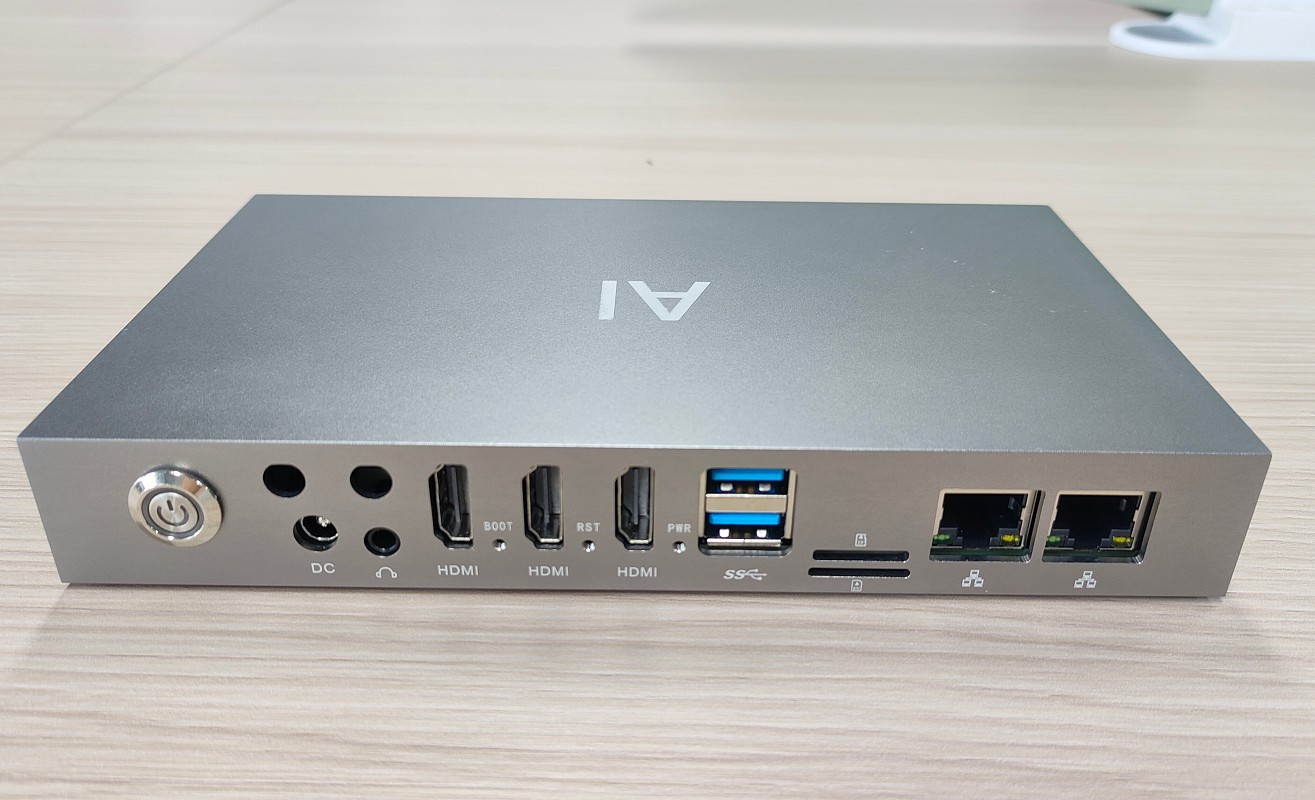
How to Partner with an Edge Box Manufacturer
Complete OEM/ODM process for edge computing boxes – from requirements and factory vetting to sample sign‑off, pilot runs, and bulk delivery. Includes contract tips and IP protection.
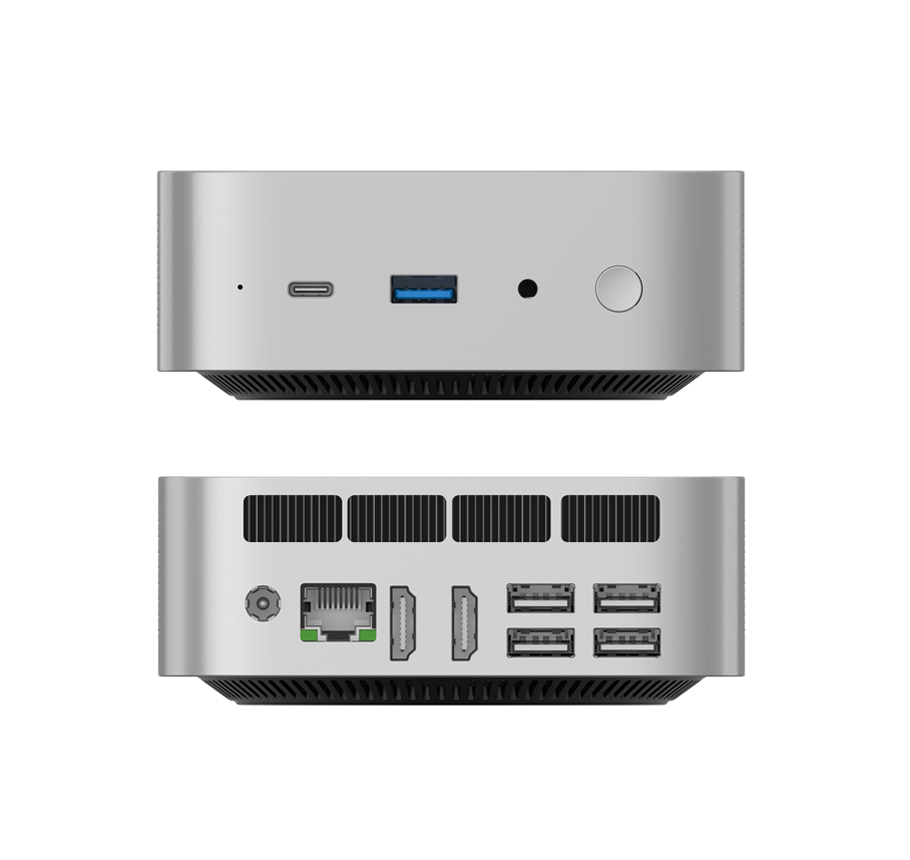
What Is an Edge Box? Compare with PC, AI Mini PC & Edge Server
What is an edge box and how does it differ from a regular PC, AI mini PC, or edge server? This guide explains edge box features, use cases, and selection criteria for AI inference at the edge.

What to Look for When Buying AI Mini PCs in Bulk
Bulk AI mini PC procurement requires more than specs. Learn about sustained performance, thermal design, memory capacity, software ecosystem, after‑sales support, and total cost of ownership.

NPU Explained: How TOPS Affects Local LLM Performance on AI Mini PCs
What is an NPU and how much does TOPS really matter for running local large language models? This guide breaks down NPU vs CPU/GPU, memory bandwidth, capacity, and software optimization – so you can choose the right AI Mini PC.
Adreamer

© 2012-2025 Copyright Shenzhen Adreamer Technology Co., Ltd.粤ICP备18115621号-2
Contact Adreamer Today for Your Custom Solution & Quote!
© 2012-2025 Copyright Shenzhen Adreamer Technology Co., Ltd.粤ICP备18115621号-2













