
Get in Touch
Your Trusted Manufacturer of Laptops & Tablets

WhatsApp Us Directly
+86 13923410269
Email Us
Get in Touch
Your Trusted Manufacturer of Laptops & Tablets

When many parents, students, and school procurement officers choose a laptop, their first instinct is to look at the CPU, memory, price, or simply search for “best student laptop.” But after buying, they discover: online classes lag, the screen is harsh on the eyes, battery life barely lasts half a day, required software won’t install, and the school can’t manage the device. In the end, the computer is neither a good learning tool nor a good entertainment device—it becomes a burden.
Don’t rush to blame your budget. There’s a possibility you haven’t considered: you didn’t buy an “educational laptop”—you bought an ordinary laptop, or even an entertainment laptop with a “student laptop” label slapped on it.
Student learning, classroom interaction, online homework, exam practice, introductory programming, and research all rest on one premise: the device must first be suitable for the teaching and learning scenario. If that premise fails, no amount of high specs or low price will help.
An educational laptop, also called an education notebook, learning laptop, or student teaching laptop, generally refers to a laptop designed and adapted for teaching scenarios. It is not a legally mandated product category, but a product classification commonly used by manufacturers, school procurement, and the education market. It focuses not on “how high the benchmark score is,” but on whether it can reliably support learning tasks.
Think of an educational laptop as a desk in a classroom. A desk doesn’t need to be as fast as a sports car, but it must be stable, durable, appropriately sized, and easy to manage uniformly. An ordinary high-performance laptop is like a sports car—very powerful, but not necessarily suitable for a class of dozens of students using it every day for lessons, homework, and exercises.
A qualified educational laptop usually balances several core needs:
So, what is an educational laptop? In one sentence: it is a tool-type laptop that serves “student learning” and “teaching management,” not a general-purpose computer that competes purely on specs.
Before you rush to search for “best student teaching laptop recommendations,” understand one fact: not every student must buy an educational laptop.
Educational laptops have clear usage boundaries. In primary and middle school, if the main uses are online classes, homework, research, basic programming, and school unified management, the advantages of an educational laptop are obvious: eye protection, durability, battery life, control, and controllable budget. For school bulk purchases, educational laptops also emphasize unified images, remote management, and after-sales spare parts.
But in late high school, vocational design programs, or university majors in computer science, architecture, film, or engineering, students may need stronger performance, discrete graphics, wide-gamut screens, or specific professional software. In these cases, ordinary thin-and-light laptops, creator laptops, or even gaming laptops may be more suitable. Family self-purchase and school unified procurement are also different: schools value batch management and maintenance; families value individual use and budget.
Therefore, the goal of choosing an educational laptop is not “make everyone buy an educational laptop,” but: ensure that the teaching scenarios you truly need are covered by a suitable device.
The method is not complicated.
Look at a single device: List the school or course requirements and check them one by one. What software is needed? Does it need to connect to a projector? Is there exam-level training? Can the battery last through a half-day of classes? Is the screen suitable for long reading? Is the keyboard spill-resistant? Is after-sales convenient?
Look at bulk procurement: Ask the supplier for detailed specifications, management solutions, warranty terms, and spare parts documentation. Cross-check the procurement list against actual teaching needs. If important courses require ports, software, or management features that are not on the list, those are problems to solve.
Most educational laptop purchasing failures come down to just a few reasons.
First, being misled by “student laptop” marketing terms. An e-commerce page saying “student laptop” does not mean it is a teaching-specific laptop. Some are just low-spec home laptops with a new name—screen, battery life, keyboard, and after-sales are not suitable for long-term learning.
Second, looking only at CPU and memory while ignoring teaching adaptation. Teaching scenarios value eye protection, battery life, durability, ports, network stability, and management capabilities more. High specs but a poor screen, noisy fan, and short battery make the student’s classroom experience worse.
Third, being attracted by low prices and low quality or refurbished machines. A particularly cheap student laptop may cut corners on screen, battery, hard drive, and after-sales. Short-term savings can lead to long-term repair, replacement, and data loss headaches.
Fourth, software and system incompatibility. School-required exam clients, programming environments, online class plugins, or printer drivers won’t install, or the system version is unsupported. This is not a configuration problem—it’s a teaching-scenario matching problem.
It depends on where you use it.
If it’s only for occasional research, the impact is small. But if it’s a core learning device, the losses are real: online class lag affects listening, harsh screens affect eyesight, short battery life affects classroom use, software incompatibility affects homework submission, and unmanageable bulk purchases increase IT maintenance costs.
For schools, educational laptops are not a one-time purchase and done. Devices go into classrooms, computer labs, and exam rooms; they need unified management, unified warranty, and unified recycling. If half the devices do not meet teaching requirements, it is equivalent to shutting down half of the digital teaching entrance.
Many families and schools treat “buying a computer” as a separate task when considering learning devices. Content resources, online class platforms, classroom interaction, homework systems—these sound more important. In comparison, checking ports, battery, eye protection certifications, and management software seems boring and trivial.
But ignoring basic device adaptation is the easiest way to waste money while trying to save effort. You buy online courses, enroll in programming classes, and prepare for exam training, only to find the device has a poor screen, short battery life, and software that won’t install—all your learning investment is discounted.
An educational laptop is not a nice extra—it is the foundation of digital learning. If the foundation is not solid, any application built on top will have problems.
Clarify the school stage and course requirements. Primary and middle school prioritize eye protection, durability, battery life, control, and light weight; high school and vocational school look at programming, office work, and exam clients; university looks at professional software. List the software first, then look at specs.
Establish an acceptance checklist. Check screen eye protection, spill-resistant keyboard, battery life, weight, ports, Wi-Fi, camera and microphone, system version, management software, warranty, and spare parts. School procurement should also look at unified deployment and remote management capabilities.
Troubleshoot misconceptions item by item. Check whether the “student laptop” label is just marketing; whether low price sacrifices screen and battery; whether 8GB memory is enough; whether ports can connect to projectors and USB drives; whether after-sales covers campus scenarios.
Trial and continuous monitoring. For family purchases, keep the return/exchange window and actually test online classes, office work, programming, and exam software. For school procurement, try a small batch first, then deploy in bulk. Evaluate battery, failure rate, software compatibility, and after-sales response each semester.
Industry-Specific Solutions
Latest Blog

What Is an Educational Laptop? A Buying Guide for Parents & Schools
What is an educational laptop and how is it different from a regular student laptop? Learn key features, buying criteria, and common mistakes for parents and schools.
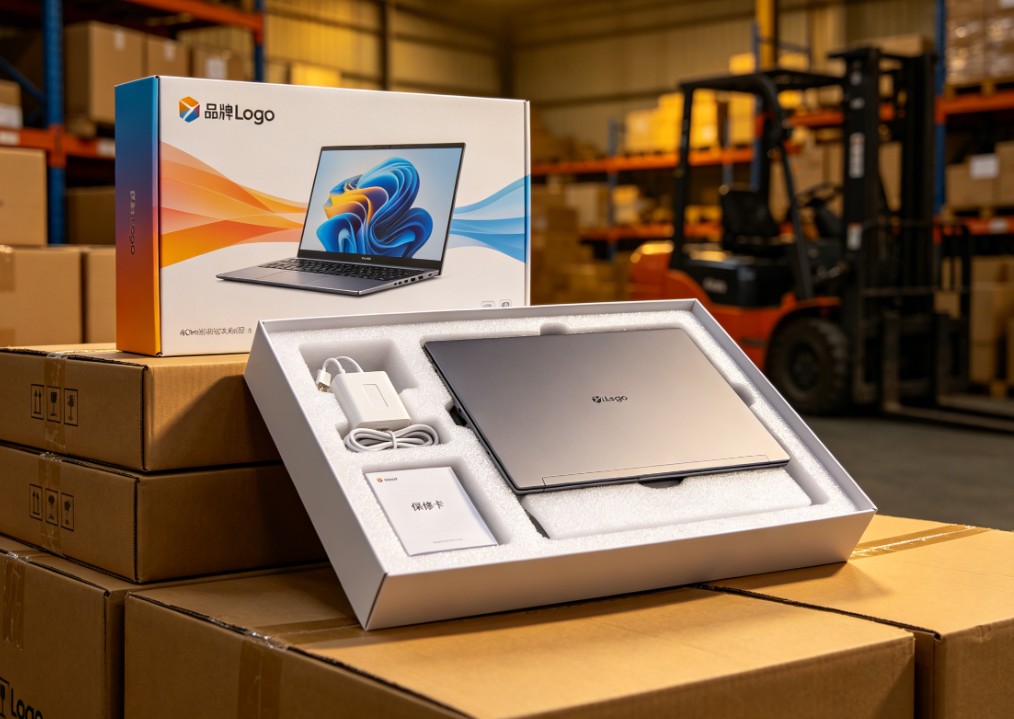
White-Label vs Neutral Laptops: Worth Buying? Pros, Cons & Guide
Should you buy white-label or neutral laptops in bulk? Learn the real pros and cons, quality-control risks, TCO calculation, sample inspection, and after-sales planning.

Celeron N5095 vs N100 vs N305: White-Label Laptop CPU Guide
Celeron N5095 or Intel N100/N305? Compare architecture, iGPU, memory support, power limits, and real-world performance to choose the right white-label laptop.

White-Label Laptops Explained: What They Are & Should You Buy?
Learn what a white-label laptop is, how it differs from knockoffs, barebones, and private-label models. Covers pros, cons, risks, and a practical buying guide for budget buyers.
Adreamer

© 2012-2025 Copyright Shenzhen Adreamer Technology Co., Ltd.粤ICP备18115621号-2
Contact Adreamer Today for Your Custom Solution & Quote!
© 2012-2025 Copyright Shenzhen Adreamer Technology Co., Ltd.粤ICP备18115621号-2













