
Get in Touch
Your Trusted Manufacturer of Laptops & Tablets

WhatsApp Us Directly
+86 13923410269
Email Us
Get in Touch
Your Trusted Manufacturer of Laptops & Tablets

You are selecting an edge computing board and come across two options: RK3588 and RK3588S. The CPU is the same, the GPU is the same, the NPU is the same—but the price differs by a noticeable margin. You assume it’s just a “performance‑cut version,” only to find out after purchasing that the PCIe can’t support a capture card, SATA can’t connect a hard drive, and dual Ethernet becomes single Ethernet. Your project gets stuck on expandability. It’s too late to change boards, but you can’t deliver without changing it either.
A friend of mine who works in industrial vision ran into this exact pitfall last month.
He took on a production line inspection project that required connecting 4 industrial cameras, 2 NVMe SSDs for local recording, and dual Gigabit Ethernet for internal/external network isolation. During selection, he saw that the RK3588S solution was nearly 30% cheaper than the RK3588, and the spec sheet showed identical CPU, GPU, and NPU. He thought it was “good enough.”
When the board arrived, he discovered during camera connection: the RK3588S has only one MIPI CSI interface—4 cameras simply can’t connect. He wanted to add a PCIe capture card, but found that the RK3588S’s PCIe is 2.0 x1, with insufficient bandwidth and lane count. He wanted to connect SATA drives, but the RK3588S has no SATA controller at all.
The project had to urgently switch back to the RK3588 solution, delaying the schedule by two weeks and adding the cost of re‑spinning the board.
The difference between RK3588 and RK3588S is not in compute—it’s in interfaces. Choose wrong, and no amount of compute will save you.
RK3588 and RK3588S are two flagship AIoT SoCs from Rockchip. Their relationship is not “high‑end vs. low‑end,” but “full‑interface version vs. streamlined version.”
What’s the same:
What’s different:
| Comparison Dimension | RK3588 | RK3588S |
|---|---|---|
| CPU | 4×A76 + 4×A55 | 4×A76 + 4×A55 |
| GPU | Mali‑G610 MP4 | Mali‑G610 MP4 |
| NPU | 6 TOPS | 6 TOPS |
| Process | 8nm | 8nm |
| Package size | Approx. 23mm×23mm | Approx. 17mm×17mm |
| Pin count | 1088 | 786 |
| PCIe | PCIe 3.0 x4 (splittable) | PCIe 2.0 x1 |
| SATA | 3×SATA 3.0 | None |
| USB 3.1 Gen1 | 2 ports | 1 port |
| USB 2.0 | 2 ports | 2 ports |
| Ethernet | 2×GMAC (dual Gigabit) | 1×GMAC (single Gigabit) |
| HDMI 2.1 | 1 port | 1 port |
| DP 1.4 | Supported | Not supported |
| MIPI DSI | 2 ports | 1 port |
| MIPI CSI | 2 ports | 1 port |
| Typical power | Higher | Slightly lower |
| Reference price | Higher | Lower |
| Target scenarios | NVR, industrial PC, edge server, multi‑bay devices | Tablets, boxes, all‑in‑ones, cloud terminals, lightweight edge devices |
RK3588 uses an FCBGA package measuring approximately 23mm×23mm with 1088 pins. RK3588S uses a smaller FCBGA package measuring approximately 17mm×17mm with 786 pins.
A smaller package and fewer pins naturally mean fewer interfaces can be routed out. This is not “cutting corners”—it’s a different product positioning. RK3588S targets products that are size‑sensitive and don’t need many peripherals, such as tablets, TV boxes, all‑in‑ones, and cloud terminals.
If you need to build a board with strong expandability, the RK3588S simply doesn’t have enough pins. Many interfaces are not “slightly worse”—they are “completely absent.”
This is one of the most critical differences.
RK3588 provides PCIe 3.0 x4, which can be split into multiple PCIe lanes for connecting NVMe SSDs, capture cards, AI accelerator cards, 10GbE network cards, and other high‑speed peripherals. PCIe 3.0 x4 offers theoretical bandwidth of about 32Gbps.
RK3588S provides only PCIe 2.0 x1, with theoretical bandwidth of about 4Gbps. That’s only 1/8 the bandwidth of RK3588, and only one lane.
This means:
If your project requires PCIe expansion, the RK3588S can be ruled out almost immediately.
RK3588 has 3 built‑in SATA 3.0 controllers, allowing direct connection of 3 SATA drives—ideal for NVRs (Network Video Recorders), edge storage servers, and multi‑bay industrial PCs.
RK3588S has no SATA controller. To connect SATA drives, you would need a USB‑to‑SATA adapter, which significantly compromises stability and speed.
If your project requires large local storage capacity, RK3588 is the only choice.
RK3588 provides 2 USB 3.1 Gen1 ports and 2 USB 2.0 ports, and supports dual Gigabit Ethernet (2×GMAC).
RK3588S provides 1 USB 3.1 Gen1 port and 2 USB 2.0 ports, and supports only single Gigabit Ethernet (1×GMAC).
Dual Ethernet ports are extremely important in edge computing. One port connects to the internal network (cameras, sensors), and the other connects to the external network (cloud reporting)—providing natural isolation, security, and stability. A single‑port solution either uses VLAN for logical isolation (complex configuration, poor stability) or requires an external switch (an extra point of failure).
If your project requires internal/external network isolation, the RK3588S’s single Ethernet port will be a headache.
RK3588 supports HDMI 2.1, DP 1.4, 2 MIPI DSI, and 2 MIPI CSI. It can drive dual displays and multiple cameras.
RK3588S supports only HDMI 2.1, 1 MIPI DSI, and 1 MIPI CSI. It has no DP interface, and the number of MIPI interfaces is halved.
For devices requiring multi‑screen displays or multiple camera inputs, RK3588S’s display interfaces are insufficient. For products like tablets and boxes that need only a single screen and single camera, RK3588S is adequate.
RK3588S has a smaller package and fewer interfaces, so typical power consumption is slightly lower than RK3588. For battery‑powered or thermally constrained devices, this difference matters.
In terms of price, RK3588S is noticeably cheaper than RK3588. The exact difference depends on order volume and package type, but there is typically a 20%–30% cost advantage.
But “cheaper” comes at a cost. If you need external expansion chips or converters because interfaces are insufficient, the money saved on the chip may be spent again—while adding design complexity and failure points.
Choose RK3588 for:
Choose RK3588S for:
A simple way to decide:
List the peripherals your project requires. If the list includes any of the following—SATA drives, PCIe expansion cards, dual Ethernet, or multiple MIPI CSI—choose RK3588 directly. If the list has only single Ethernet, single HDMI, and single camera, RK3588S is sufficient and more cost‑effective.
First, don’t look only at CPU specs. RK3588 and RK3588S have identical CPU, GPU, and NPU—but huge interface differences. Before selecting, list your peripheral requirements clearly, then confirm each item against the interface table.
Second, pay attention to core board/module compatibility. Many vendors offer both RK3588 and RK3588S core boards, but the pin definitions differ, and the baseboards are not interchangeable. If you choose the S version and later want to upgrade to the full‑featured version, the baseboard may need to be redesigned.
Third, confirm software and driver support. Both share the same CPU, so the software ecosystem is largely identical. However, driver support for certain interfaces (such as PCIe and SATA) may differ. During selection, confirm with the vendor whether the interfaces you need are already supported in the SDK.
Don’t be misled by “same CPU” during selection. First check whether the interfaces are sufficient. If interfaces fall short, no amount of compute can make up for it.
Industry-Specific Solutions
Latest Blog
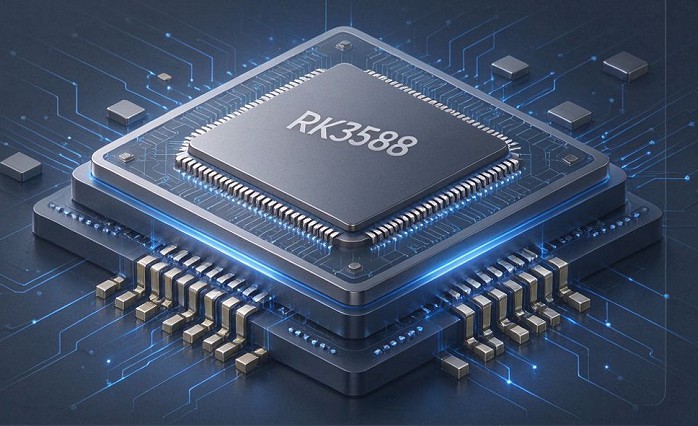
RK3588 vs RK3588S: Key Differences for Edge Computing Boards
Compare RK3588 and RK3588S for edge computing. Learn PCIe, SATA, Ethernet, and MIPI interface differences to choose the right board for your project’s expansion needs.
AI Compute Box Bulk Procurement: 3C, CE, FCC Certification Guide
Learn the key certification requirements for bulk buying AI compute boxes. Covers 3C, CE, FCC compliance, common pitfalls, and how to verify certificates to avoid legal risks.

RK3588 vs N100: Which Is Better for Local LLM Deployment?
Compare RK3588 and N100 for running local LLMs. See real-world token speeds, power, memory, software support, and which chip fits your AI workload.

Edge AI Box vs Cloud Server:Which Is Cheaper Long-Term?
A detailed TCO comparison of edge AI boxes and cloud servers. Covers hardware, bandwidth, power, and O&M costs, with break-even analysis and a decision checklist.
Adreamer

© 2012-2025 Copyright Shenzhen Adreamer Technology Co., Ltd.粤ICP备18115621号-2
Contact Adreamer Today for Your Custom Solution & Quote!
© 2012-2025 Copyright Shenzhen Adreamer Technology Co., Ltd.粤ICP备18115621号-2













