
Get in Touch
Your Trusted Manufacturer of Laptops & Tablets

WhatsApp Us Directly
+86 13923410269
Email Us
Get in Touch
Your Trusted Manufacturer of Laptops & Tablets

Is your laptop screen feeling cramped during multitasking? Juggling emails, research, and video calls—all stacked in overlapping windows—can seriously slow you down. Do you miss the immersive feel and control of a large office monitor while traveling? Or, as a trader, do you find yourself constantly wishing for more screen space to keep up with fast-moving markets?
Today, portable monitors are becoming the go-to mobile productivity tool for many. As slim as a notebook and easy to slip into your backpack, they instantly expand your workspace with an extra high-definition screen. But beyond just “adding another display,” what can a portable monitor really do? How does it genuinely improve your workflow, creativity, and even entertainment?
A portable monitor is a slim, plug-and-play external display designed for mobile work, creative tasks, and entertainment. It typically connects via USB-C or HDMI with minimal setup, instantly extending your visual workspace.

Its core advantages lie in three key features:
Slim & Portable – Roughly as thin as a magazine and often weighing under 1 kg, it fits easily into your commute bag or travel luggage, ready to become your second screen anywhere.
Plug-and-Play Simplicity – Models with USB-C support can often be powered and receive video signals through a single cable, eliminating the need for an extra power adapter.
Wide Device Compatibility – Works not only with Windows and Mac laptops but also smartphones, gaming consoles (like Nintendo Switch and PS5), digital cameras, and some tablets. It truly delivers “one screen, multiple uses.”
Whether you’re working on documents during a business trip, monitoring footage during an outdoor shoot, or gaming on the road, a portable monitor offers a flexible and efficient visual expansion solution.
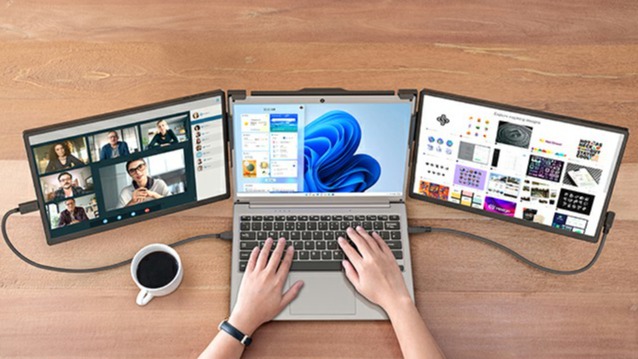
Imagine this: at a café, you focus on writing reports or code on your main screen, while the portable monitor displays reference materials, communication apps, or data analysis spreadsheets in full screen. No more constant 'Alt+Tab' to switch between windows, no more interrupted workflow. Your productivity soars. For remote workers, programmers, and content creators, this is an undeniable efficiency game-changer.

For gamers, a portable monitor means ultimate freedom. It pairs perfectly with the Nintendo Switch, letting you enjoy big-screen gaming on the go. It can also serve as an extension for your Steam Deck or gaming console, instantly transforming into a gaming station at a friend’s place. For PC gamers, it’s the perfect secondary screen for displaying game maps, walkthroughs, or voice chat with teammates—giving you the upper hand in every game.
③ Professional Presentations & Collaboration Tool – Simplify Business Communication
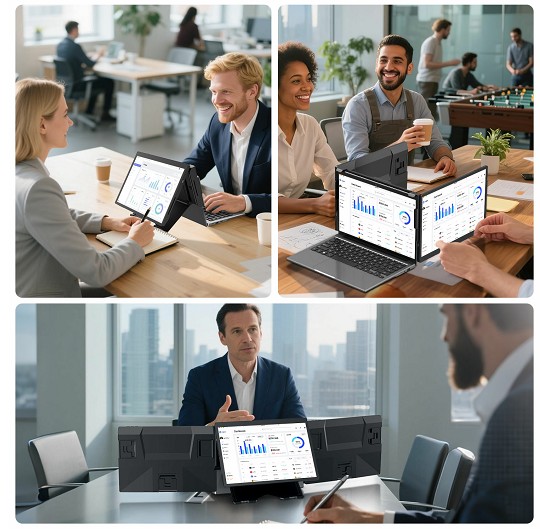
When visiting clients, there’s no need to borrow their bulky conference room TV or projector. Just take out your portable monitor and laptop, connect a single cable, and deliver a clear, professional PowerPoint presentation. In small team discussions, it can also serve as a shared digital whiteboard, making it easy to sync ideas and collaborate in real time.
During long flights, train rides, or hotel stays, watching videos on a small phone or tablet screen can feel underwhelming. Connect a portable monitor, and you instantly have a private cinema. Whether you're binge-watching series, enjoying movies, or scrolling through short videos, the immersive experience of a larger screen is unmatched—dramatically enhancing your entertainment quality while traveling.
After shooting outdoors, photographers are often eager to review and pre-select their work. Laptop screens often fall short in color accuracy. By connecting a color-accurate portable monitor, you can professionally preview and edit photos on-site or back at the hotel, ensuring you capture every perfect moment.
Music production software often comes with complex track and mixing interfaces. When creating on the go, a portable monitor provides valuable extra space for your mixer, sound library, or effects panel—freeing up your main screen to focus on core track arrangements and streamlining your workflow.
⑦ Programmer’s Portable Coding Station – Code & Docs Side by Side
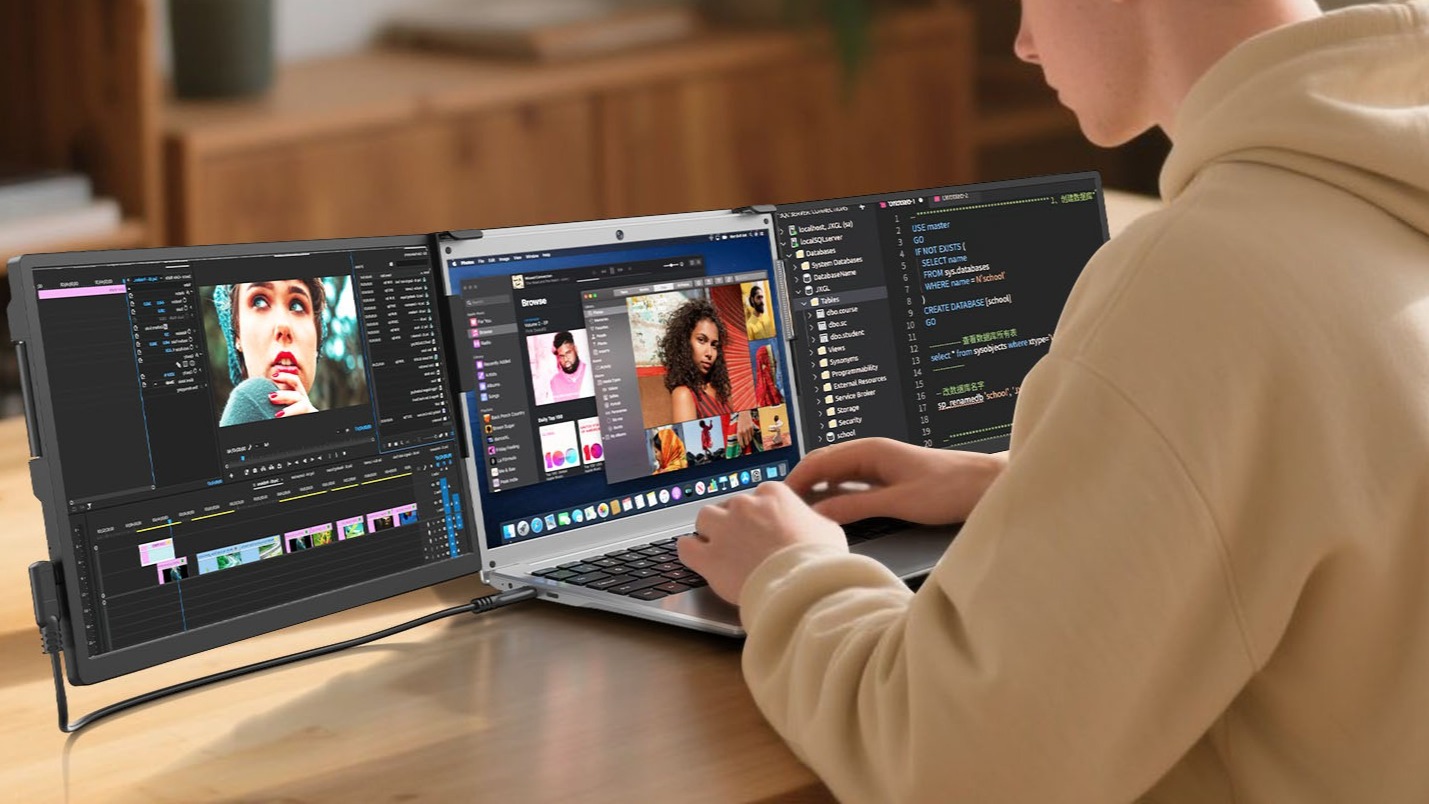
For developers, an extra screen means being able to open the code editor, terminal, and API documentation simultaneously—or writing code while previewing the output. This workflow significantly reduces context-switching, keeping your focus intact. Whether you're at the office, at home, or in a temporary workspace, you can quickly get into the coding zone.
Online courses, research papers, reference materials—study resources can be overwhelming. With a portable monitor, you can watch a full-screen lecture on one display while taking notes in Word on the main screen. Or, you can compare two documents side by side, doubling your study and research efficiency.
For users of compact systems like Intel NUC, Mac Mini, or Raspberry Pi, a portable monitor is the ideal companion for a minimalist desk setup. It takes up almost no space, functions as a full computer display when needed, and can be easily stored when not in use—perfect for dorms, studies, or labs with limited space.
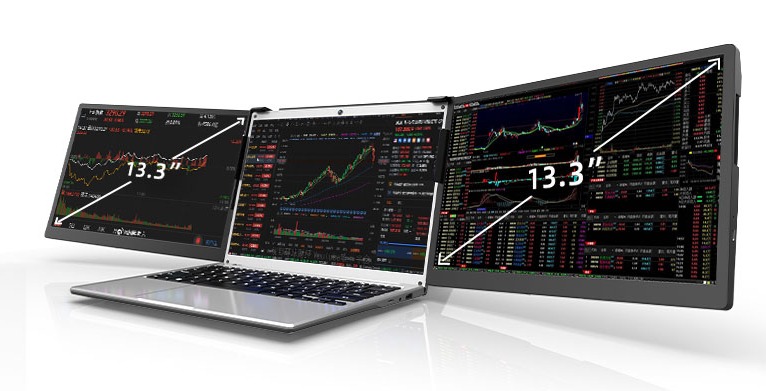
Here’s a pro-level application: for stock, forex, or crypto traders, information is everything. A portable monitor can be dedicated to displaying real-time charts, news alerts, portfolio values, or Level 2 market data—while your main screen focuses on executing trades. Even when you're away from your desk, at a hotel or café, you can set up a professional micro-trading station and never miss a market move.
With so many portable monitors on the market, how do you pick the one that truly fits your needs? Adreamer has put together a clear buying guide to help you cut through the 'spec trap' and precisely match a display to your use case.
Mainstream portable monitors typically range from 13 to 17 inches.

The ideal portable monitor can be powered directly via USB-C from your laptop, phone, or a power bank, living up to the true 'plug-and-play' promise. If a model requires a separate power adapter, it significantly reduces its portability advantage—always check the power requirements before buying.
By evaluating these key factors, you can pinpoint your core needs—whether it's maximum portability, professional color accuracy, smooth gaming performance, or broad device compatibility—and select the portable screen that's truly right for you.
A: Most modern devices are compatible. If your phone or laptop has a USB-C port (supporting DisplayPort Alt Mode) or an HDMI output, you can connect a portable monitor. This includes Apple MacBooks, Windows laptops, flagship Android phones (like Samsung Galaxy and Huawei Mate/P series), iPhones (some models may require an adapter), and popular devices like the Nintendo Switch. We recommend checking your device's port specifications before purchase and selecting a monitor with the corresponding interface.
A: It depends on the specific model. Mainstream mid-to-high-end portable monitors typically have input lag under 10ms, which is perfectly adequate for games like League of Legends, Genshin Impact, or The Legend of Zelda. Some models, optimized specifically for gaming, even support high refresh rates (e.g., 120Hz) and a low-latency mode to meet more demanding competitive gaming needs. However, if you play fast-paced FPS titles like CS2 or Valorant, which are highly sensitive to response time, prioritize models explicitly advertised with 'low latency' or a 'game mode.'
A: Not necessarily. Many portable monitors can be powered directly via the USB-C connection from your laptop, phone, or a power bank, enabling a clean 'one-cable solution' without an extra power adapter. However, some larger (e.g., 17-inch) or high-resolution (e.g., 4K) models may have higher power demands and require an external power source for stable operation. Please check the product's power requirements before purchasing.
A: At a similar price point, high-quality portable monitors (especially those with IPS or OLED panels) offer color accuracy, brightness, and viewing angles that come very close to desktop monitors. However, due to size and cost constraints, their peak brightness, color gamut coverage, or screen uniformity might be slightly lower than high-end professional desktop displays. For everyday office work, media consumption, light creative tasks, and entertainment, the visual performance of mainstream portable monitors is more than sufficient.
A: For stock trading, refresh rate is not a critical factor. Trading software, market charts, and transaction interfaces primarily display static or low-motion content. A standard 60Hz refresh rate is perfectly adequate. Screen size, resolution, and multi-tasking/multi-window capability are far more important – a larger screen area allows you to view more K-line charts, news feeds, and trading panels simultaneously, significantly improving your efficiency. Of course, if you also use the screen for high-frequency quantitative backtesting or complex data visualization tools, a model with better color accuracy and a faster response will provide a smoother experience.
Looking back at these scenarios, the portable monitor has evolved far beyond its 'portable' label. It is a mobile canvas for productivity, seamlessly integrating into your life—whether you are a professional chasing peak efficiency, a gamer seeking immersion, or a trader needing to stay ahead of the market—delivering a tangible upgrade to your workflow and enjoyment.
Now, ask yourself: which scenario resonates most with you? The answer might just be the next piece of the puzzle in elevating your daily life and work.
Industry-Specific Solutions
Latest Blog

AI Compute Box Bulk Procurement: 3C, CE, FCC Certification Guide
Learn the key certification requirements for bulk buying AI compute boxes. Covers 3C, CE, FCC compliance, common pitfalls, and how to verify certificates to avoid legal risks.

RK3588 vs N100: Which Is Better for Local LLM Deployment?
Compare RK3588 and N100 for running local LLMs. See real-world token speeds, power, memory, software support, and which chip fits your AI workload.

Edge AI Box vs Cloud Server:Which Is Cheaper Long-Term?
A detailed TCO comparison of edge AI boxes and cloud servers. Covers hardware, bandwidth, power, and O&M costs, with break-even analysis and a decision checklist.
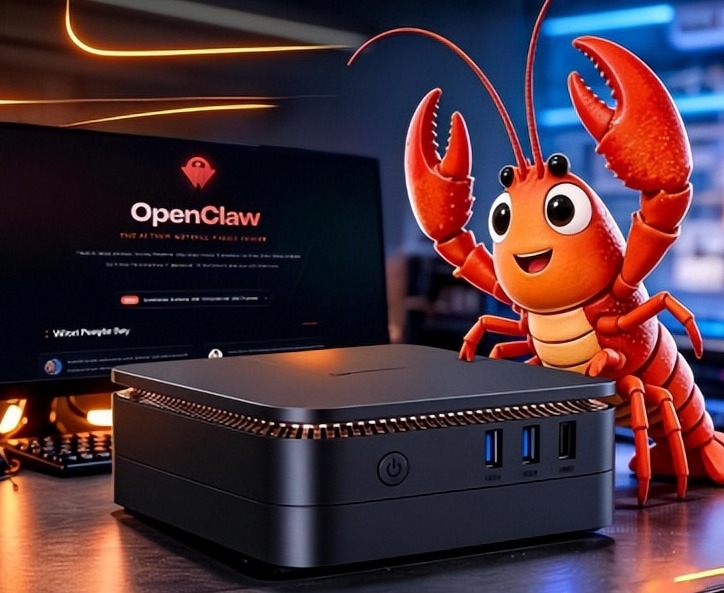
What AI Mini PC Do You Need for Private Local LLM Deployment?
Learn what AI mini PC specs you need for private deployment of local LLMs: memory, NPU, storage, offline capability, and configuration recommendations for 7B–70B models.
Adreamer

© 2012-2025 Copyright Shenzhen Adreamer Technology Co., Ltd.粤ICP备18115621号-2
Contact Adreamer Today for Your Custom Solution & Quote!
© 2012-2025 Copyright Shenzhen Adreamer Technology Co., Ltd.粤ICP备18115621号-2













