
Get in Touch
Your Trusted Manufacturer of Laptops & Tablets

WhatsApp Us Directly
+86 13923410269
Email Us
Get in Touch
Your Trusted Manufacturer of Laptops & Tablets

Trying to video call your grandkids, but struggling to see their smiling faces on a tiny phone screen? Want to enjoy the news or your favorite shows, but feel overwhelmed by a complicated smartphone? You're not alone. When choosing technology for our elderly loved ones, our biggest worries are complex interfaces, tiny text, and confusing features that lead to frustration.

This 2025 guide is designed to eliminate those worries. Instead of listing cold, hard specs, we focus on ease of use, readability, and practical benefits. Our goal is to help you find the perfect tablet that acts as a bridge to family and enriches daily life—not a barrier.
Before looking at specific models, understanding these key criteria is essential. They will help you see why we recommend certain products and allow you to choose the best fit for your loved one's specific needs.
Aim for a model that promises 10+ hours of battery life. This allows for all-day use without the anxiety of constantly charging, reducing daily maintenance hassle.

This is a 'hidden' but incredibly important feature. Look for solutions that support remote assistance, such as Apple's Screen Sharing via Family Sharing or apps like TeamViewer QuickSupport on Android. This allows you to help your parents solve problems directly from your own device, no matter how far away you are.
Consider investing in a robust, protective case with a non-slip grip. Additionally, extended warranty services like AppleCare+ or Amazon's Accident Protection are worthwhile investments to guard against accidental drops and spills.
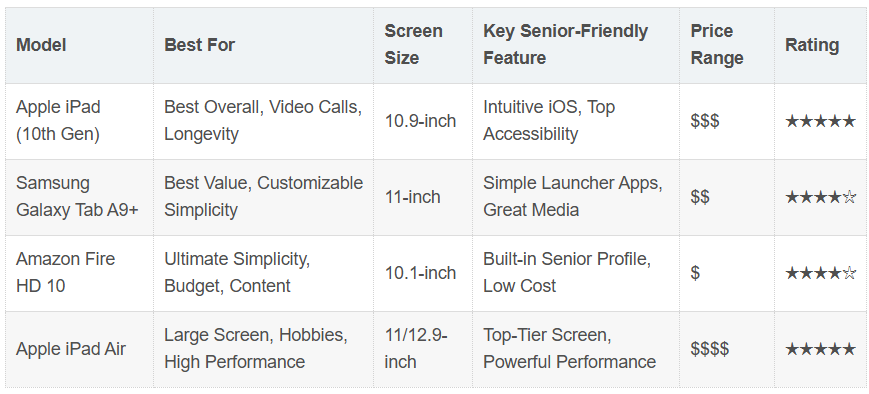
Why we recommend it: The iPad strikes the best balance between ease of use and capability. Its interface is so intuitive it requires almost no learning curve, and Apple's Accessibility features are the industry gold standard. It has enough power to remain smooth and responsive for years.
Key Benefits:
Best For: Families seeking a stable, easy-to-use, and versatile device that will last for many years.
Pro Tip: Strongly pair it with a sturdy case and an Apple Pencil (for added fun, like marking up photos).
Why we recommend it: It offers the ultimate flexibility on the Android platform. By installing a simple launcher app, you can transform its home screen into an ultra-simple interface with just a few giant buttons.
Key Benefits:
Best For: Those who prefer Android or don't mind a little initial setup time to achieve a more simplified interface.
Pro Tip: Install and set up the simple launcher before giving the tablet to your parent.
If you want a 'pure and simple' device at an incredibly low price, this is the answer. The built-in 'Senior Profile' makes setup a breeze.
Key Benefits:
Consideration: Fire OS is a closed system and doesn't have full access to the Google Play Store (though most major apps are available).
Best For: Budget-conscious buyers or light users who primarily want to watch videos, read books, and make simple video calls within the Amazon ecosystem.
If your loved one needs a larger, higher-quality screen and more power—for drawing, watching HD movies, or simply due to vision requirements—the iPad Air is the perfect choice.
Key Benefits:
Best For: Users with higher demands for screen quality and performance, and for families with a more generous budget.
Spending 30 minutes on the initial setup can improve your loved one's experience by 100%. Follow these steps:
a. Initial Setup: You handle the startup, Wi-Fi connection, and logging into accounts (Apple ID/Google).
b. Activate Accessibility:
c. Organize the Home Screen:
d. Install Essential Apps:

A: Absolutely. It's more than just an entertainment device; it's a window to fight loneliness through high-quality video calls, a tool for cognitive exercise (news, puzzles), a health assistant for medication reminders, and a portal to the world from the comfort of home.
A: Both have merits. The iPad's strength is its 'out-of-the-box' simplicity, consistent performance, and top-tier accessibility—it's hassle-free. Android's advantage is 'deep customization,' potentially achieving an even simpler interface via launcher apps. For families seeking a no-fuss solution, we generally lean towards the iPad.
A: There are great solutions:
A: Yes (e.g., GrandPad), but they are often expensive, have outdated hardware, and limited functionality. We recommend a mainstream tablet + thoughtful software setup. This offers better value, more power, and easier access to technical support.
The best tablet for an elderly loved one isn't necessarily the most powerful one, but the most thoughtful and suitable one. Remember, the most important part of this technological gift is not the device itself, but the patience and time you invest in setting it up. By preparing it for them, this small device can open up a new world of connection, learning, and entertainment, ensuring your care and connection know no distance.
Industry-Specific Solutions
Latest Blog
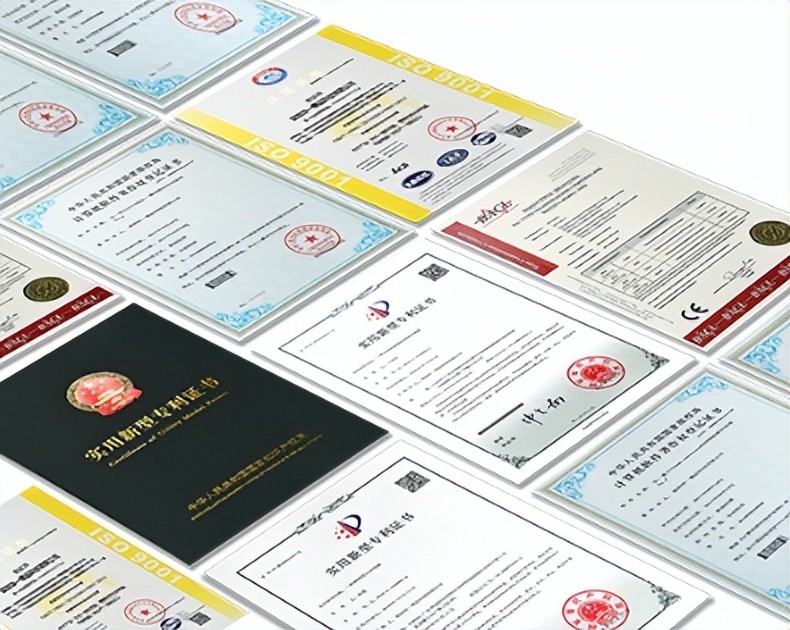
AI Compute Box Bulk Procurement: 3C, CE, FCC Certification Guide
Learn the key certification requirements for bulk buying AI compute boxes. Covers 3C, CE, FCC compliance, common pitfalls, and how to verify certificates to avoid legal risks.

RK3588 vs N100: Which Is Better for Local LLM Deployment?
Compare RK3588 and N100 for running local LLMs. See real-world token speeds, power, memory, software support, and which chip fits your AI workload.

Edge AI Box vs Cloud Server:Which Is Cheaper Long-Term?
A detailed TCO comparison of edge AI boxes and cloud servers. Covers hardware, bandwidth, power, and O&M costs, with break-even analysis and a decision checklist.
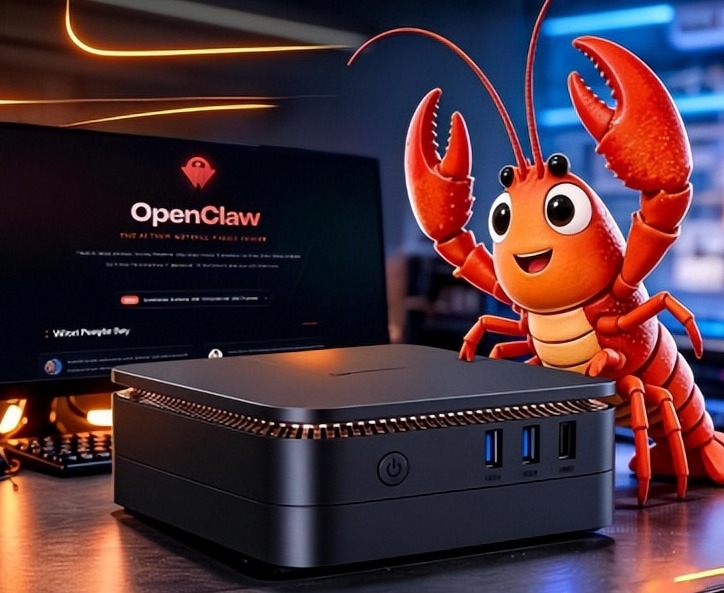
What AI Mini PC Do You Need for Private Local LLM Deployment?
Learn what AI mini PC specs you need for private deployment of local LLMs: memory, NPU, storage, offline capability, and configuration recommendations for 7B–70B models.
Adreamer

© 2012-2025 Copyright Shenzhen Adreamer Technology Co., Ltd.粤ICP备18115621号-2
Contact Adreamer Today for Your Custom Solution & Quote!
© 2012-2025 Copyright Shenzhen Adreamer Technology Co., Ltd.粤ICP备18115621号-2













